Telegram automation is software that gets Telegram to act on its own — sending, replying, scheduling, moderating — and in 2026 it lives in three distinct layers: Telegram Business automations baked into the app, Bot API automations bolted onto the official bot framework, and userbot automations driving real Telegram accounts. The 12.7 update added Guest Bots and bot-to-bot chats, which moved the ceiling up again. Pick the wrong layer and the campaign dies at the first send window.
Telegram automation is the most-asked-about, least-well-defined phrase in the platform. People search it expecting a tool. What they need is a map. The same phrase covers an away-message that fires when you sleep, a Make scenario that posts an RSS item into a public channel, a Python script firing 30 messages a second to subscribers, and a warmed sender pool DMing strangers from a scraped list. All four are automation. None of them solve the same problem, and the one that fits a newsletter will get a userbot account banned by Tuesday.
We operate the userbot end of that stack for clients (it sits inside our Telegram mass DM service), so this guide is written from the operator's seat — the side of the table where the rate limits, account states, and ban math actually matter. I'll walk through every layer of telegram automation, the no-code and the code paths to automate telegram messages, what the May 2026 Guest Bot update changed, and the parts where the platform's anti-spam system quietly decides whether your campaign survives. No "revolutionary AI workflows." Just the parts you'll wish someone had spelled out before you bought a license.
What is Telegram automation, exactly?
Telegram automation is, at the simplest level, any software arrangement that gets Telegram to send, reply, schedule, sort, or moderate without a human in the loop on every message. That is the only thing the label reliably means. Underneath sit at least three very different mechanisms, and they are not interchangeable: native Telegram Business automations (greetings, away messages, opening hours, Quick Replies, a connected bot), Bot API automations built on the official bot framework, and userbot automations that log into real Telegram accounts through MTProto libraries like Telethon or Pyrogram. Vocabulary on the SERP is loose — people search automated telegram messages, automated message telegram, telegram automated message bot, telegram channel automation, automate telegram management — and they almost always land on the same fork in the road. The layer the automation runs in decides the ceiling, the safety, and the cost. Tool brand barely matters.
The three layers of Telegram automation
Strip the marketing off every product on the SERP and you get three operating layers. Each one solves a different version of "make Telegram do this for me," and picking the right one is the single highest-leverage decision in the project. We've watched teams burn weeks on the wrong layer because a vendor's homepage didn't bother to draw the line, and we've watched campaigns finish in a Wednesday afternoon once a team finally moved to the layer the work actually needed. The split is structural, not stylistic. Layer one is what Telegram itself ships in the app. Layer two is what the Bot API gives anyone with a token. Layer three is what running real, human-style accounts forces you to build around — warm-up, proxies, pacing, replacement, the whole operational tail. Different niches gravitate to different layers: a SaaS support team almost always lives on layer two, a creator running the kind of work covered in our OnlyFans Telegram promotion playbook almost always needs layer three, and a one-person agency starts on layer one. Get the layer right and the tool choice mostly takes care of itself.
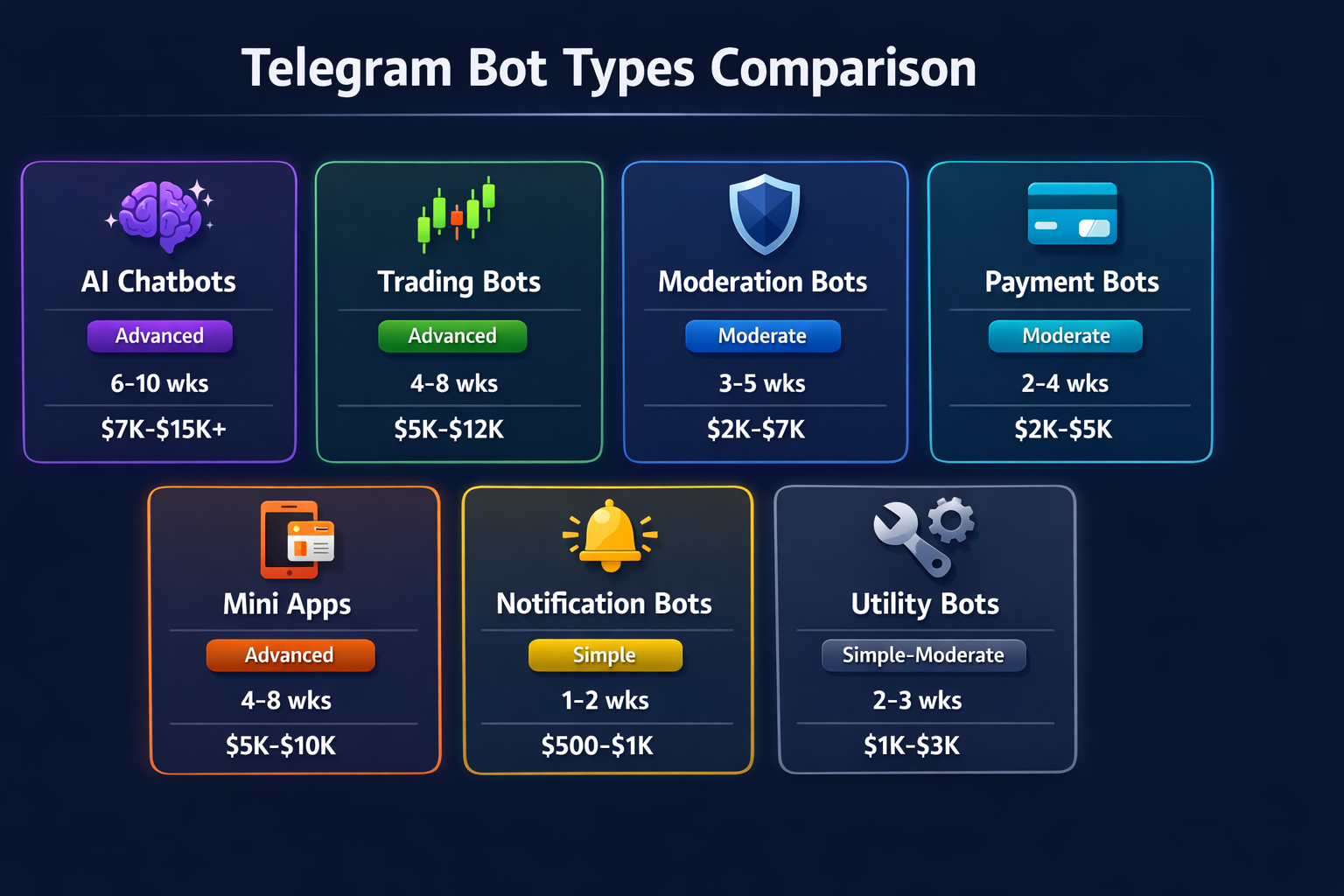
Layer 1 — Telegram Business. The built-in automations that ship with a Telegram Business account, originally introduced in Telegram's Business launch. Opening hours, location, a custom start page, Greeting messages, Away messages, Quick Replies, and the option to connect a bot that handles chats on your behalf. Zero code, zero infrastructure. Fine for small operators and one-person businesses. Useless for anything past a few hundred conversations a day or for cross-system workflows.
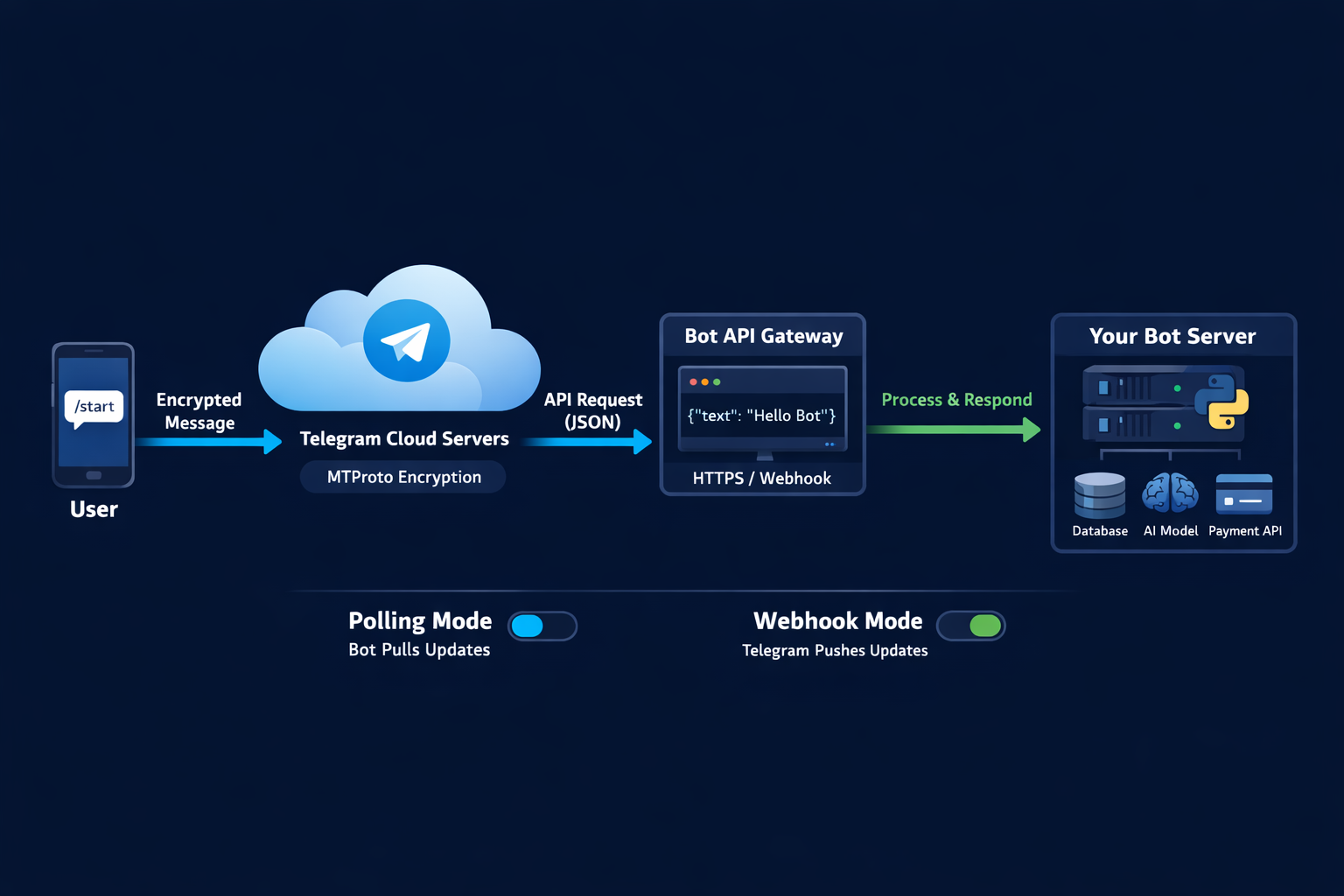
Layer 2 — Bot API automation. A Telegram automated message bot built on the official Bot API. Anyone who has typed /newbot at BotFather has touched it. This layer is excellent for subscriber broadcasts, command-driven flows, scheduled posts to a channel, group moderation, and any work where the recipient has already opted in. It is also the safest layer by a wide margin: the bot is the sender, no personal account is at risk, and bot bans are rare. The ceiling is the famous 30 messages per second across different chats. It is also the layer where Make, Zapier, n8n, ManyChat, Chatfuel, and most "no-code Telegram bot" platforms plug in.
Layer 3 — Userbot automation. A telegram automated message bot of the userbot type doesn't use the Bot API. It logs into one or more real Telegram accounts through MTProto and sends from them like a typing human. This is the only path that can DM strangers. It is also the path where almost all of the ban risk lives. Tools and frameworks include Telethon, Pyrogram, TeleSender, TexSender, and various Chrome-extension dashboards. Used carefully on warmed accounts with proxy isolation, it scales; used naively on fresh accounts, it burns the pool inside a day.
Need a managed Telegram automation stack, not a tutorial?
How to automate Telegram messages without code
If you want to automate telegram messages and you do not write Python, you have two no-code routes that cover most of the work. The first is the native Telegram Business panel: turn on a Greeting message, set Away hours, drop ten Quick Replies for the questions you answer fifty times a week, and optionally connect a bot to your account so it can read and respond on your behalf. That alone gets a one-person operation to "always-on" without a single line of code. The second is wiring a Bot API token into a workflow tool — Make, Zapier, n8n — and letting that platform's triggers fire your sends. A common pattern in our shop: new lead lands in a CRM, n8n catches the webhook, formats a Telegram message, and the bot posts it into the sales channel within seconds.
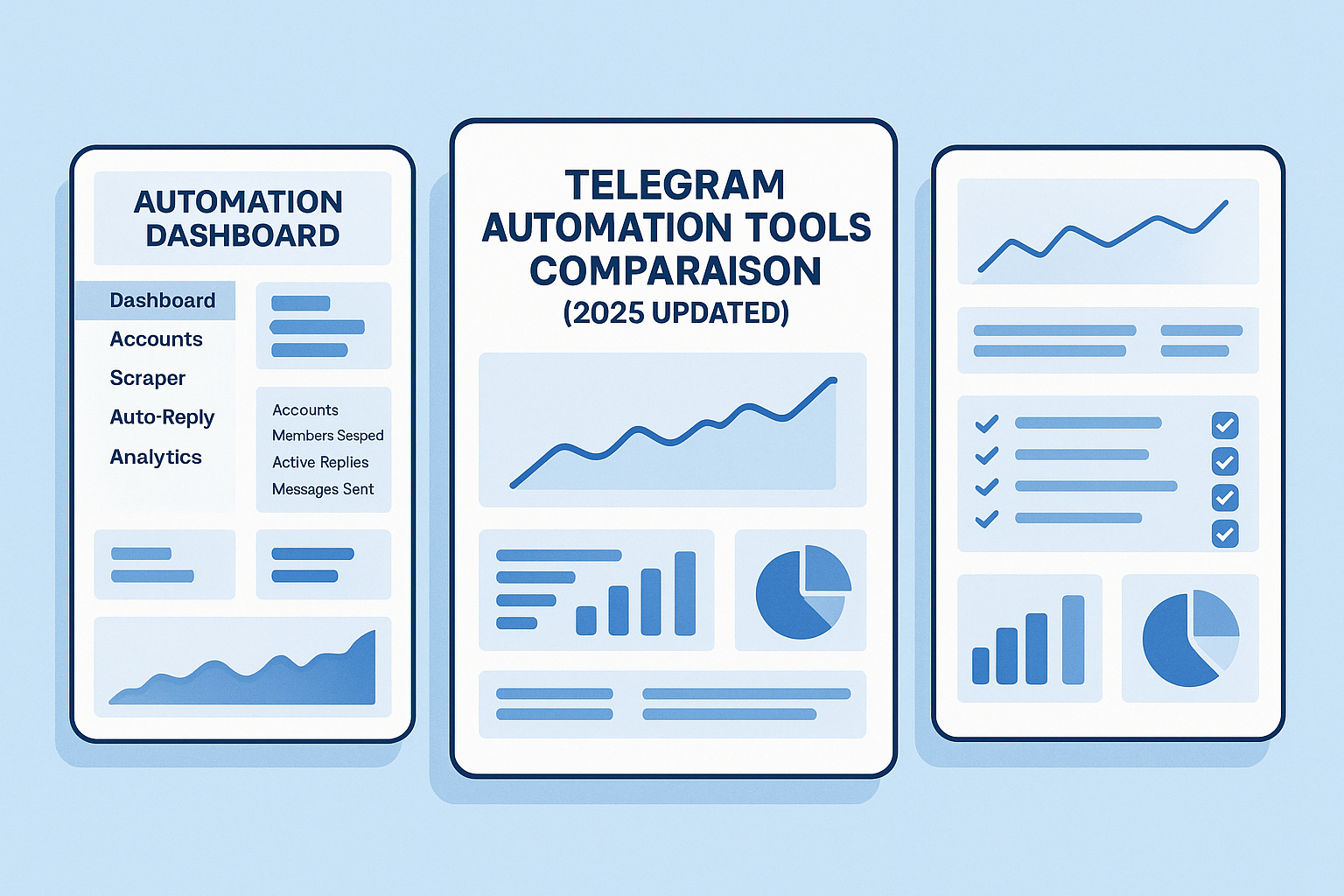
The setup is genuinely fast. Open BotFather, send /newbot, pick a name and a username ending in "bot," copy the token. Paste the token into your no-code platform's Telegram module. Add the bot to whatever channel or group it should post into and give it admin rights so it can speak. Add a trigger — a new Sheet row, a Stripe charge, an RSS item, a form submission, anything — and wire it to a "send message" action. Done. The first send works inside an hour for almost any team. The same flow handles automated telegram messages for businesses, scheduled drops, daily digests, lead notifications, internal alerts. Treat the platform as plumbing, not as a product.
How to automate Telegram messages with code
The code path opens up the parts the no-code tools can't reach, and that gap is wider than most teams realise until they hit it. The Bot API itself is the same on both sides; what changes is what you can wrap around it. With python-telegram-bot or aiogram you can write conversation handlers, manage state across messages, hook into a database, queue outbound work properly, and run long-running flows that survive restarts and deployments. With Node, Telegraf does the same job, and there are mature options in Go, Rust, and PHP too. None of this is hard — a competent engineer ships a working version of "answer a command, hit an API, reply with the result" in an afternoon, and a production-grade version that handles 429s, retries, and graceful degradation in a week. The work is incremental from there: error handling, observability, deploy pipeline, secret management. Engineering hygiene, not Telegram knowledge.
The interesting work in 2026 is one rung up: the userbot layer. Telethon and Pyrogram both speak MTProto, which is what real Telegram clients use, and they let your code be an account rather than a bot. That unlocks everything bots can't do — reading public group rosters, joining private invite links, sending DMs to people who haven't messaged first — and it pulls the platform's full anti-spam treatment onto you. We use Telethon internally for scraping and Pyrogram for the sender pool, but the libraries are interchangeable. The hard part is not the code. The hard part is the 200 small operational decisions about pacing, variation, proxy assignment, warm-up state, and how to read Telegram's anti-spam signals before the wave of limits hits. That is not a library problem. That is an operational problem.
Automated Telegram messaging for businesses
Automated telegram messaging for businesses splits cleanly into two patterns, and most teams confuse them. Pattern one is service: customers already in your audience get faster responses through a bot. Pattern two is acquisition: you reach new people who haven't opted in. The first scales on the Bot API and a Telegram Business account. The second cannot. Service automation pays back fast. A founder we work with in fintech rewired their support into a Telegram bot with five Quick Replies and a fallback to a human; first-response time dropped from "next morning" to under a minute, and roughly 60% of incoming questions never reached the human. That is a typical number; industry studies report 68% faster response time and 40% fewer escalated tickets after this kind of automation, and it tracks with what we see internally.
The acquisition side is where the wheels come off. A telegram automated message bot built on the Bot API simply cannot DM strangers — the platform blocks that path. So businesses that need to reach new audiences either run paid Telegram Ads on the official network, partner with channel owners for shoutouts, or move to the userbot layer with all of its risk. The third option is where serious volume happens, and where automation stops being a no-code exercise and becomes operational engineering. Most agencies don't draw this line for clients, which is the source of an enormous amount of wasted budget on tools that were never going to deliver what the brief actually wanted.
Telegram channel automation, group automation, and community automation AI
Telegram channel automation, automate telegram groups, and community automation ai telegram all sound like one topic and are really three. Channels are broadcast surfaces — one-to-many, no replies in the main stream. Groups are conversational. Community automation ai is the layer that runs across both with AI in the loop. The tools split along the same line. For channels, you automate posting: schedule drops with Telegram's built-in scheduler, cross-post from RSS or X with Make or n8n, mirror content across multiple channels, and use the Bot API to send polls, media, and formatted updates. For groups, you automate moderation: Combot, Rose, and Metricgram cover anti-spam, captchas, welcome messages, warn/mute/ban actions, and analytics. For community automation with AI, products like DMtoLead, GetMyAI, and Modr8 wire an LLM into the same loop — the bot answers FAQs in natural language, escalates to a human when it doesn't know, and segments members for targeted announcements.
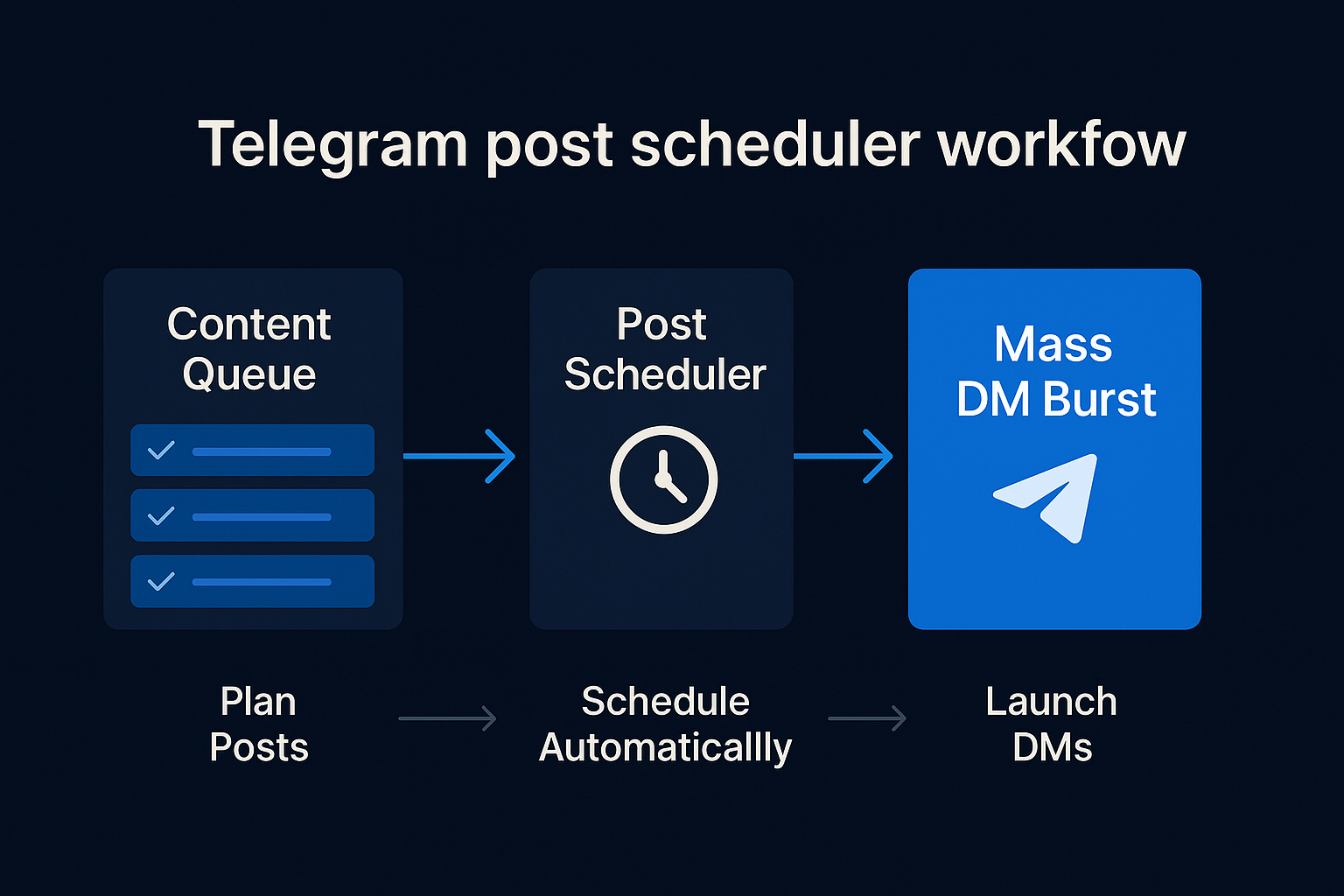
A small but useful distinction: automate telegram management is the umbrella term, and it tends to mean the dashboarding layer on top of the actual sending. Operators want one place to see queue depth, delivery rates, error counts, ban incidents, and per-account health across the entire fleet. That is what Metricgram is doing well for groups, what our internal panel does for the userbot pool, and what most cheap tools quietly omit. If you cannot see the health of every account in your automation, you are flying blind, and the platform's anti-spam team can see things you cannot. The same logic applies to membership growth flows — the audit pattern we wrote up for the Telegram member adder tool is the same one operators should apply to any group-automation deployment.
Automated AI Telegram assistant: what the 12.7 update changed
The 12.7 release in May 2026 changed what an automated ai telegram assistant can actually do, and most articles on the SERP haven't caught up to the shift yet. The Telegram update post shipped three features that matter for automation specifically: Guest Bots, bot-to-bot communication, and streaming AI responses. Guest Bots let any AI assistant be mentioned by username in any chat — private or group — even when the bot is not a member of that chat. So a user can @SomeAIBot a question mid-conversation and get an inline reply without any setup. Bot-to-bot means bots can now respond to each other rather than only to humans, which makes multi-agent workflows feasible inside the platform itself rather than requiring a router on a server somewhere. Streaming responses make the bot's text appear progressively the way a human types, which is a small UX win for short replies and a meaningful one for long technical answers where the wait would otherwise feel broken.
Practically, this rewires what an automated telegram messages assistant looks like. A year ago you needed your AI assistant added to every group it should help in. Now you don't. We have one client running a five-agent stack inside one Telegram community: a moderation bot, an FAQ bot, a sales-qualification bot, a content-ingest bot, and a coordinator that routes between them. Two of the five only joined the group after 12.7 made it pointless to do so. The honest caveat: Guest Bots are mention-triggered, not always-on, so you cannot use them as a passive listener. If you need ambient moderation, the bot still has to be a member with the right permissions. And streaming responses chew through API quota faster than batched replies, which matters at scale.
Automate Telegram signals — the trading edge case
Automate telegram signals is its own corner of the topic and follows different rules from every other layer in this guide. Signal traders publish entries, stops, and targets into a Telegram channel, and a copier on the subscriber side parses each message and fires the trade on a connected exchange or MetaTrader account, usually within milliseconds of the post landing. Tools include TSCopier, Cornix, TelegramFxCopier, and a long tail of GitHub-hosted Telethon scripts wired to broker APIs by individual traders who got tired of paying a SaaS fee. Execution latencies are the headline number on every vendor page — sub-100-millisecond claims are typical, and TSCopier publishes 70 ms as its current best — and the actual constraint, once latency is good enough, is signal-parsing accuracy on free-form text written by humans in a hurry. Some signals are clean text. Some are screenshots. Some are voice notes. Modern copiers run OCR for the images and NLP for the text and catch most but not all of them, and the dropped message is almost always the one that mattered to the P&L. Pick a copier with a verifiable parsing log; ignore the latency claim past 100 ms.
The risk profile is different too. The Telegram side is almost always low-risk because the copier is reading messages from a channel the user already joined — no cold outreach, no userbot DMs. The risk lives downstream: position sizing, broker risk, signal quality from the publisher. We don't build trading copiers, but the operating question is the same one we ask in every other layer: which automation layer is doing the work, where does it break, and what happens when it does? On signal copiers the answer is "the parser fails on a malformed message and skips a trade you wanted." That is the cost worth budgeting for, not a Telegram ban.
Where automation breaks: rate limits, bans, and the spam wall
Every honest conversation about telegram automation ends here, at the wall. The Bot API publishes its limits; the user-account side runs on anti-spam signals nobody publishes but operators learn fast, usually the expensive way. Here is what actually applies in May 2026, pulled from the Telegram Bots FAQ, the operating notes we keep on every pool, and the pattern we see when accounts start dropping in unison. The numbers are not academic. They map onto a real campaign clock: if your automation needs to push three thousand messages in a Tuesday morning window, the math below tells you which layer you are forced into, how many accounts the userbot path will need, and whether the paid Bot API broadcast tier collapses the problem entirely. Pick the wrong row and the campaign either runs slow, gets throttled, or burns its sender pool. The table is the cheapest decision tool we use.
| Layer / channel | Practical limit | What happens at the ceiling |
|---|---|---|
| Bot API broadcast (different chats) | ~30 messages / second | HTTP 429 with retry_after — back off and retry |
| Bot API broadcast, paid tier (Telegram Stars) | Up to 1,000 / second | 0.1 Stars per message above the free allowance |
| Bot API to a single chat | ~1 message / second | Short bursts allowed, sustained sending throttled |
| Bot inside a group | 20 messages / minute | Bot rate-limited from that specific group |
| Fresh userbot, cold DMs | ~30 sends / day before spam-lock | "Cannot message non-contacts" limit kicks in |
| Aged, warmed userbot, cold DMs | 100–200 sends / day, paced | Survives if pacing and variation hold |
The last two rows are the part most automation guides skip. A fresh Telegram account on a shared IP that fires 100 cold DMs in an hour is locked the same afternoon. The same volume on an aged account, on its own residential proxy, with 30 to 45 second randomized delays between sends and varied message bodies, survives indefinitely. The number Telegram cares about is not the daily total. It is the behavioural fingerprint: velocity, repetition, identical text across receivers, same-IP clusters, and the absence of inbound activity on the account. The detailed mechanics live in our bulk message sender breakdown, but the short version: pace matters more than volume, and variation matters more than pace. We watched a 1,200-send campaign in early 2025 die at message 47 because every variant was four words too similar to the template. That mistake has been the single most expensive learning in our pool ops history.
Two operational habits keep automations alive across the entire stack. The first is per-account health tracking — the same instinct described in our guide to buying Telegram accounts and our notes on bulk account formats. Treat every account in the fleet as a sensor; the second its open-rate or response-rate dips, swap it out before the platform does. The second is feeding the pool, not just the campaign — the discipline we lean on whenever a channel is involved is the same one in our channel ranking work and the group scraping playbook. Most automation failures are not technical. They are a missing dashboard.
Sources
- Telegram, "Guest AI Bots, Bot-to-Bot Chats, Chat Automation, Custom AI Styles, 100M+ Emoji & Sticker Search and Much More" — the 12.7.0 release post for Guest Bots and bot-to-bot.
- Telegram Bot API documentation — the canonical reference for bot behaviour and rate limits.
- Telegram Bots FAQ — the 30-messages-per-second broadcast ceiling and paid broadcast tier.
- Telegram, "Introducing Telegram Business" — the Business launch post covering Greetings, Away messages, Quick Replies, and bot connection.
FAQ
What is Telegram automation?
Telegram automation is software that makes Telegram do work without a human pressing send. It runs in three layers: Telegram Business automations baked into the app (greetings, away messages, quick replies), Bot API automations built around the official bot framework, and userbot automations driving logged-in user accounts. Each layer solves a different version of the problem — subscriber broadcasts, scheduled posts, AI replies, cold outreach — and they are not interchangeable.
How do I automate Telegram messages without coding?
Two paths cover most cases. Inside Telegram Business you turn on Greeting and Away messages, write Quick Reply shortcuts, and optionally connect a bot to your profile. For anything cross-system — CRM, RSS, Sheets — you wire a bot token to Zapier, Make, or n8n and trigger sends from those flows. No code, and a setup that fits in a coffee break.
Can I automate Telegram messages to people I haven't messaged before?
Not with the Bot API. A bot can only message users who have already started a chat with it (the /start handshake), which means cold DM through a bot is not possible. Reaching new people requires a userbot tool driving real Telegram accounts, which then carries the platform's full anti-spam risk. That distinction is the single most misunderstood part of Telegram automation.
What are the Guest Bots in the 2026 Telegram update?
Guest Bots arrived in Telegram 12.7.0 and let you mention any AI bot by username inside a chat — even one the bot is not a member of — and have it respond inline. The same update added bot-to-bot communication and streaming AI responses, which together turn automation from a script-and-cron pattern into something closer to autonomous agents inside the chat itself.
How many messages can a Telegram bot send per second?
Around 30 messages per second across different chats on the free Bot API tier, and roughly 1 message per second to a single chat. Push past that and you get HTTP 429 errors with a retry_after value. Telegram now also sells a paid broadcast tier through @BotFather, billed in Telegram Stars, that lifts the global ceiling to about 1,000 messages per second.
Will a Telegram automation get my account banned?
Bot accounts almost never get banned for normal broadcast traffic to opted-in subscribers. User accounts being driven by a userbot can absolutely get spam-locked, usually within hours of fast cold sending. The behaviour is what flags — volume, velocity, identical text, and same-IP clusters. Aged accounts on residential proxies with 30 to 45 second delays survive far longer than fresh ones on a shared connection.
What is the best Telegram automation tool?
There is no single best tool, because the three layers solve different problems. For subscriber broadcasts and chat-flow automation: Bot API plus Make or n8n. For groups and community moderation: Combot, Rose, or Metricgram. For cold DM at any real volume: a managed sender pool with warmed accounts and proxy isolation. Tool brand matters less than which layer your campaign actually lives in.