Telegram member adder software automates two manual steps — scraping usernames from one Telegram group and adding them to another — through the MTProto client API and a pool of sender accounts. The 6,000-per-day figure quoted on most landing pages is the API cap, not a survivable rate. Good software differs from the kind that burns accounts in four ways: aged sender accounts, trust-band pacing, real-account filtering, and multi-account rotation tuned to Telegram's dynamic per-account limit.
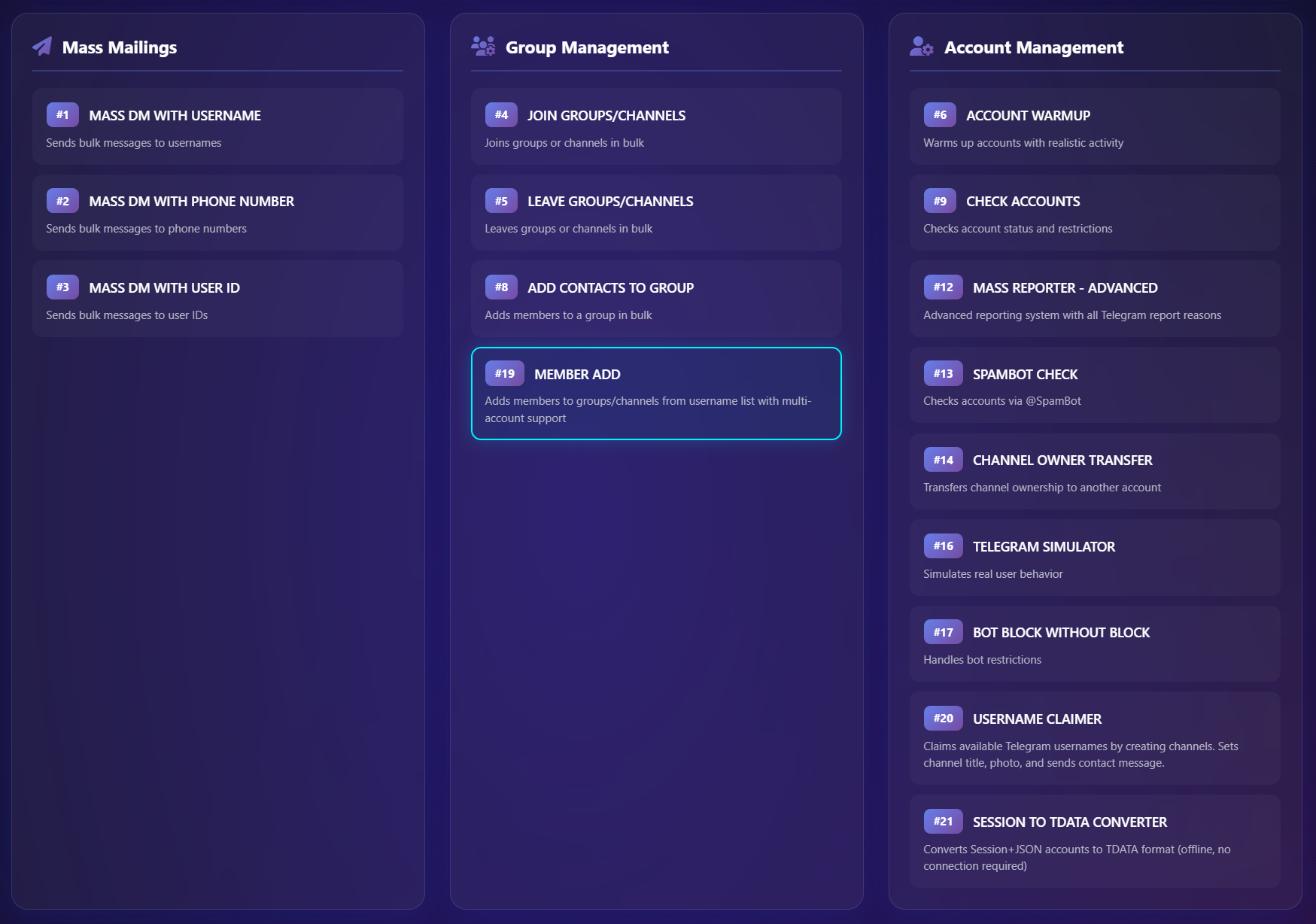
Most member adder software landing pages quote the same big number — 6,000 a day, “unlimited adds,” 90 to 95 percent success — and bury the part where those figures apply only to a configuration almost no one actually runs. The honest version of the picture is messier, and that is what this page is for. Across roughly 90 client campaigns last year we built and audited the same software stack repeatedly, and what emerged is a four-criteria evaluation framework you can run against any member adder software before you spend a single account on it. The framework, the five categories, and the real failure patterns are below. The shorter conceptual cousin of this piece — what a member adder tool is and when to use one — is on the member adder tool page.
What Telegram member adder software actually is
A Telegram member adder software — often sold under the more literal label “Telegram auto add member software” — is a desktop or cloud application that automates two steps a person could technically do by hand: scraping usernames out of an existing Telegram group, then adding those usernames into a group you control. The category is wider than most product pages let on. It covers paid desktop installs, browser extensions wrapped around a logged-in Telegram Web session, open-source Python scripts built on Telethon or Pyrogram, cloud actors running on platforms like Apify, and fully managed panels where someone else runs the operation for you. They all share one mechanical loop: collect identifiers, authenticate as one or more accounts, and issue add requests on a timer. The cosmetic differences — GUI versus CLI, $50 versus $300 — matter less than how the software handles account safety. That is where the actual price lives.
One distinction worth fixing early. A member adder software is not a moderation bot. A moderation bot lives inside your group and does welcome messages or admin tasks; member adder software runs from the outside, on user accounts you control, and its only job is to move people in. Different category, different risk surface, different API. Most vendor confusion lives in that gap.
How the four-stage pipeline works under the hood
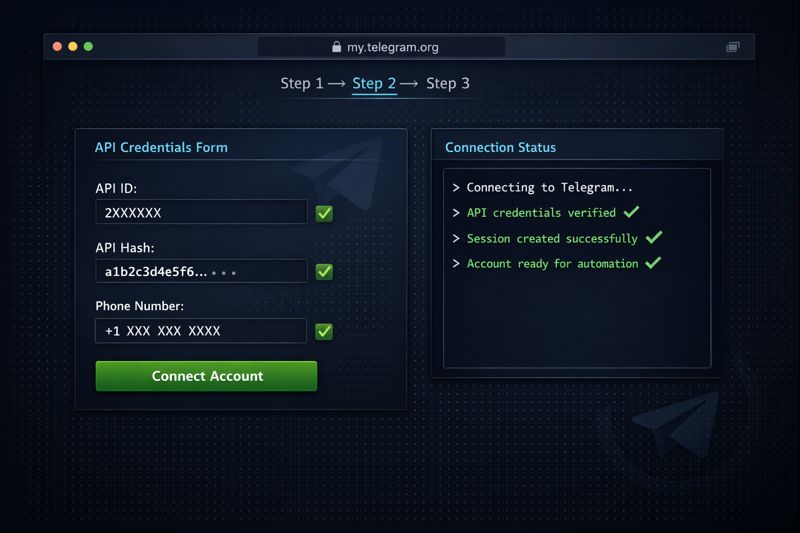
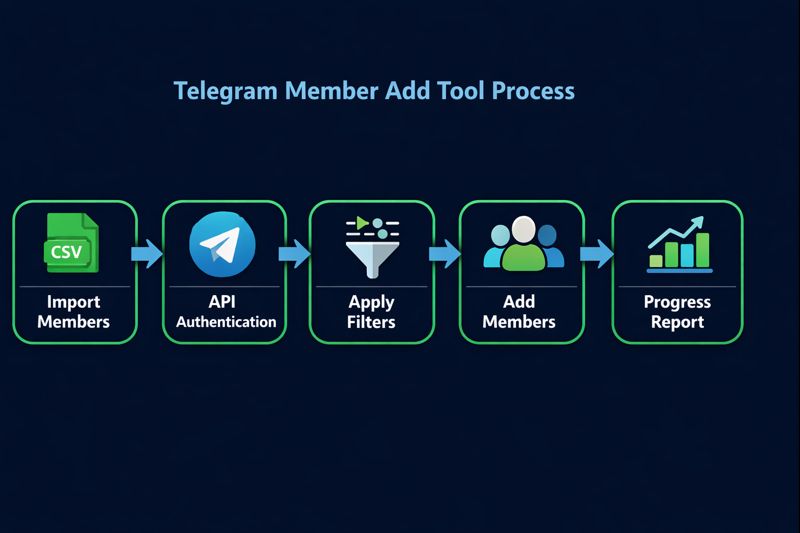
Every member adder software runs the same four-stage sequence. Stage one is authentication: you connect one or more Telegram accounts, usually through the official client API with an api_id and api_hash, or through a saved session string. Stage two is scraping, pulling the visible member list from a source group and exporting usernames and user IDs, often straight to a CSV file — the same mechanic covered in the Telegram group scraper breakdown. Stage three is filtering: the better software drops accounts that are obviously inactive, privacy-restricted, or already maxed on group membership, while the cheap kind skips this entirely. Stage four is the add itself: invite requests fired on a delay you set, typically 5 to 90 seconds apart, often with randomized jitter so the pattern does not look mechanical. The pipeline is simple. The hard part was never the code.
In practice, stage three is where the cheap software loses the campaign before stage four even starts. A script that adds without filtering will happily import accounts that left Telegram months ago, accounts with privacy settings that block the add outright, and accounts already maxed out on group membership. You do not pay for those failed attempts in dollars. You pay in account trust score, which is the currency the platform actually measures.
The five software categories — and what each one really costs
We have worked with all five categories across 90-odd 2025 campaigns, and the sticker price on the vendor's landing page is almost never the real cost. An open-source Python script on Telethon or Pyrogram costs nothing to download — but every campaign we ran on a bare script burned through accounts inside the first week, and the actual cost is whatever you paid for replacement accounts. A browser extension running on a single logged-in Telegram Web session is the fastest thing to set up and the easiest behavior for Telegram to fingerprint. Desktop adder software sits in the middle, with multi-account support and configurable delays — but the account warming is still entirely on you. Cloud actors hosted on platforms like Apify outsource the runtime but charge per request and rarely warm accounts at all. A managed panel shifts both runtime and account risk onto a provider, charged per member at roughly $0.01 to $0.05.
The honest comparison is this: no category is automatically safe or automatically dangerous. Each is only as good as its account-handling logic. The table below is the version we hand a client who asks which category to look at — with the real-cost column filled in the way we wish vendor landing pages would. If you do not have the account pool already, the prerequisite reading is buying Telegram accounts for small fleets or bulk Telegram account formats for anything past 50 sessions.
| Software type | How it runs | Real cost | Ban exposure |
|---|---|---|---|
| Open-source script (Telethon / Pyrogram) | You supply accounts and API keys; CLI driven | “Free” — replaced by account-replacement spend | Highest: no warming, no rate intelligence |
| Browser extension | Inside a logged-in Telegram Web session | $20 – $80 / month | High: single account, trivial to fingerprint |
| Desktop adder software | Multi-account GUI, configurable delays, CSV import | $50 – $300 one-time or subscription | Medium-high: depends on account warming |
| Cloud actor (Apify-style) | Runs in vendor cloud; you supply accounts | Pay-per-request, often $5 – $30 / 1k adds | Medium: better infra, no warming |
| Managed panel (done-for-you) | Provider supplies accounts and runs adds | $0.01 – $0.05 per member | Shifts to provider — quality depends how it's built |
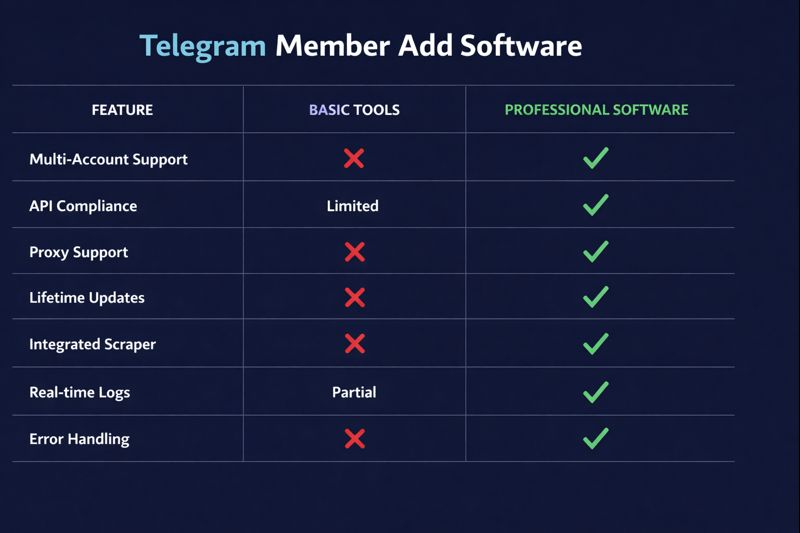
Open-source Telegram members adding software gets the most attention because the cash price is zero, and the most operator regret because the account cost is not. The clean middle of that table — desktop or cloud actor with strong filtering plus an aged account pool — is where most surviving campaigns actually run. The managed end gets used when the operator does not want to hold the account risk themselves, which we cover under the broader Telegram automation stack.
The 6,000-a-day figure, explained honestly
The number that circulates on every commercial member adder software page is the same: “6,000 members per day.” It comes from Telegram's documented daily ceiling for invite requests across the client API, and it is technically real. It is also entirely useless as a planning number for any account you actually care about. The 6,000-a-day cap applies only to high-trust accounts running through clean infrastructure, and reaching that ceiling on a single account in a 24-hour window will trigger a restriction inside the first thousand requests. The figure that matters in 2026 is the dynamic per-account band Telegram applies — somewhere between 0 and roughly 45 successful adds in 24 hours, set by an internal trust score. Brand-new accounts often sit at the floor. A new SIM-activated number may add nobody at all before the platform throttles it.
Software that “adds 2,000 a day” gets there with 20 to 50 accounts working in throttled parallel, not one machine racing the cap. The math is straightforward: at the conservative end of the trust band, a warmed pool of 20 accounts sustains roughly 400 to 800 real adds per day; at the higher end with Premium accounts it scales further, but the per-account ceiling is the constraint that never goes away. Any vendor that quotes a single big number without telling you how many accounts and how warmed those accounts are is selling the headline, not the throughput. Telegram's own FAQ documents the supergroup-conversion threshold at 200 manual adds; the dynamic daily band sits on top of that and is not published.
The four-criteria framework for evaluating any member adder software
Across last year's campaign audits we kept ending up at the same four questions, so we wrote them down. Run this on any member adder software before you commit a single account to it. First, does the software handle account warming, or does it assume your accounts are ready to add on day one? Fresh accounts adding immediately is the single biggest restriction trigger on the platform. Second, does it filter scraped lists before adding, or hand the raw scrape to the add engine? Unfiltered lists are how you spend trust budget on dead accounts. Third, does it support genuine multi-account rotation with per-account state — or just run the same script faster across more sessions? The first survives, the second flags. Fourth, does it adapt pacing to per-account trust signals, or fire on a fixed delay? Fixed delays fail the moment Telegram changes the band.
If a vendor's marketing answers none of those four questions, you do not have to fail in the field to know what happens. The probability is high enough to count it as the answer. If the software answers all four, ask for the proof — logs, account survival rates, the actual pool size. Vendors that have the answers usually have the screenshots. The ones that do not, do not. For ecosystems where the operator is also doing direct outreach, the same evaluation rigor applies to the bulk message sender in the stack — the failure modes mirror each other.
Failure patterns from 90+ campaigns
We have audited the recovery tickets from north of 60 client accounts and the in-house monitoring data from 90-odd 2025 campaigns, and three failure patterns repeat almost every time. The first is velocity-driven: a fresh account starts adding on day one and crosses the trust band within hours. By the time the operator notices the failure rate climbing, the account is already restricted. The second is filtering-driven: software adds a scraped list straight into the destination group with no activity filter, and 30 to 60 percent of the imports turn out to be dormant accounts or recycled numbers that Telegram quietly removes over the following week. The count spikes, then slides. The third is rotation theatre: the software claims multi-account support but routes every session through one fingerprintable infrastructure layer, so all 20 accounts get flagged together.
The pattern across all three is the same. The platform is not flagging the software brand — it is flagging the footprint each run leaves behind. Brand new account, perfect-cadence delay, identical client fingerprint, scraped list of dead accounts: every one of those is a signal Telegram is built to catch. The campaigns that survive are the ones that look least like a tool is driving them, which is the same point our member-quality breakdown makes from the retention side. Reckless adds inflate the count and wreck the engagement ratio simultaneously, which is the worst possible outcome for any campaign whose goal was the engagement, not the screenshot.
The same logic applies regardless of niche. A crypto channel, a SaaS community, an OnlyFans creator funnel, an agency client — all of them lose the same way when the footprint is wrong, and survive the same way when it is right.
How the YourSolutions member adder software is built
The YourSolutions member adder software ships with the four-criteria framework baked in by default, because we built it after losing accounts the hard way. The sender pool is aged: every account has real message history and idle time before its first add, so velocity reads as human. Pacing is trust-band-aware, not fixed — the software watches per-account signal strength and slows or pauses any account approaching its restriction band before the platform does. Scraped target lists pass through a filter pass against activity and account-age signals first, so the batch we add is closer to the batch that stays. Multi-account rotation runs each session through its own residential proxy and its own behavioral profile, not a shared fingerprint. Runs are logged end-to-end, so anyone reviewing the operation can see exactly what was added, what held, and what dropped.
The member adder software is one piece of a tighter stack. It pairs with our Telegram mass DM workflow for direct outreach to those same niche audiences, and with our Telegram channel ranking work that turns a growing base of real members into durable in-app search visibility. The sender accounts come out of the same pool we keep alive for our account creation pipeline, which means the warming is real and not theatre. The full set of related growth services is listed on the main services page.

Run the software inside that configuration and the count grows the way a real audience grows — accounts intact, members likely to actually open your posts a week later.
Frequently asked questions
Is Telegram member adder software legal?
The software itself is legal — it uses the public client API, the same one the official Telegram desktop app uses. What's restricted is the behavior. Telegram's Terms of Service explicitly prohibit adding users to groups or channels they did not ask to join, and reported accounts get limited or banned regardless of which software did the adding. The lawful question and the operational one are different, and most landing pages quietly conflate them.
What's the difference between member adder software and a member adder bot?
A member adder bot lives inside Telegram and works through the Bot API, which has no permission to add members to a group at all. A member adder software runs from the outside on user accounts you control, through the client API, and that is the only path that can actually add members. So when a vendor markets a “bot” that adds members, the bot is usually just a chat interface in front of software running on user accounts in the background.
Will member adder software get my Telegram account banned?
The software does not trigger the ban — the behavior does, and the software just makes that behavior easy to do fast. Fresh accounts adding at speed get restricted within hours; aged accounts pacing inside Telegram's trust band rarely do. Software that ships with account warming, real-account filtering, and trust-band-aware pacing keeps the footprint clean. Software that hands you a delay slider and a fresh-account fleet does the opposite, and most of the cheap options sit in that second bucket.
How many members can I really add per day with member adder software?
Per account, between 0 and roughly 45 in 24 hours, depending on that account's trust score — not the 6,000 the API technically allows. A 20-account warmed pool typically sustains 400 to 800 real adds per day without restrictions. The “5,000 a day” numbers on commercial pages are almost always fleet figures across many accounts, not the per-account ceiling, and most never disclose that distinction.
Is free open-source telegram add member software safe to use?
The code is fine — the operating model is the problem. Open-source scripts on Telethon or Pyrogram do the same four-stage loop the paid software does, but with no warming, no filtering, and no rotation logic. You supply the accounts, and those accounts absorb the entire ban risk. Across our audits, scripts run on fresh accounts had a 70%-plus first-week restriction rate. The script is not unsafe in code; the configuration most operators run it in is.
Can member adder software add members to a Telegram channel?
Yes for the first 200 channel subscribers, no past that. Both groups and channels accept direct adds only up to 200 members; beyond that point the platform closes the Add option and the software can only distribute invite links or send invitations, which the recipient can accept or ignore. Tools advertising “unlimited channel adding” are doing throttled invite distribution across many sender accounts, not true adding past the wall.
Sources
- Telegram Terms of Service — prohibits adding users to groups and channels they did not ask to join.
- Telegram Spam FAQ — describes how reported accounts get limited, first temporarily and then permanently.
- Telegram FAQ — documents the 200-member manual-add limit and the conversion of groups to supergroups.