A telegram bot check phone number tool tests whether each number in your list has a Telegram account attached. The legitimate path uses Telegram’s MTProto core API — auth.checkPhone and the contact-import endpoint — not the public Bot API, which is why almost no off-the-shelf BotFather bot can actually do this. Real number-checker bots ship as userbot stacks, OSINT scripts, or managed APIs that route through proper Telegram clients with rate-limit discipline.
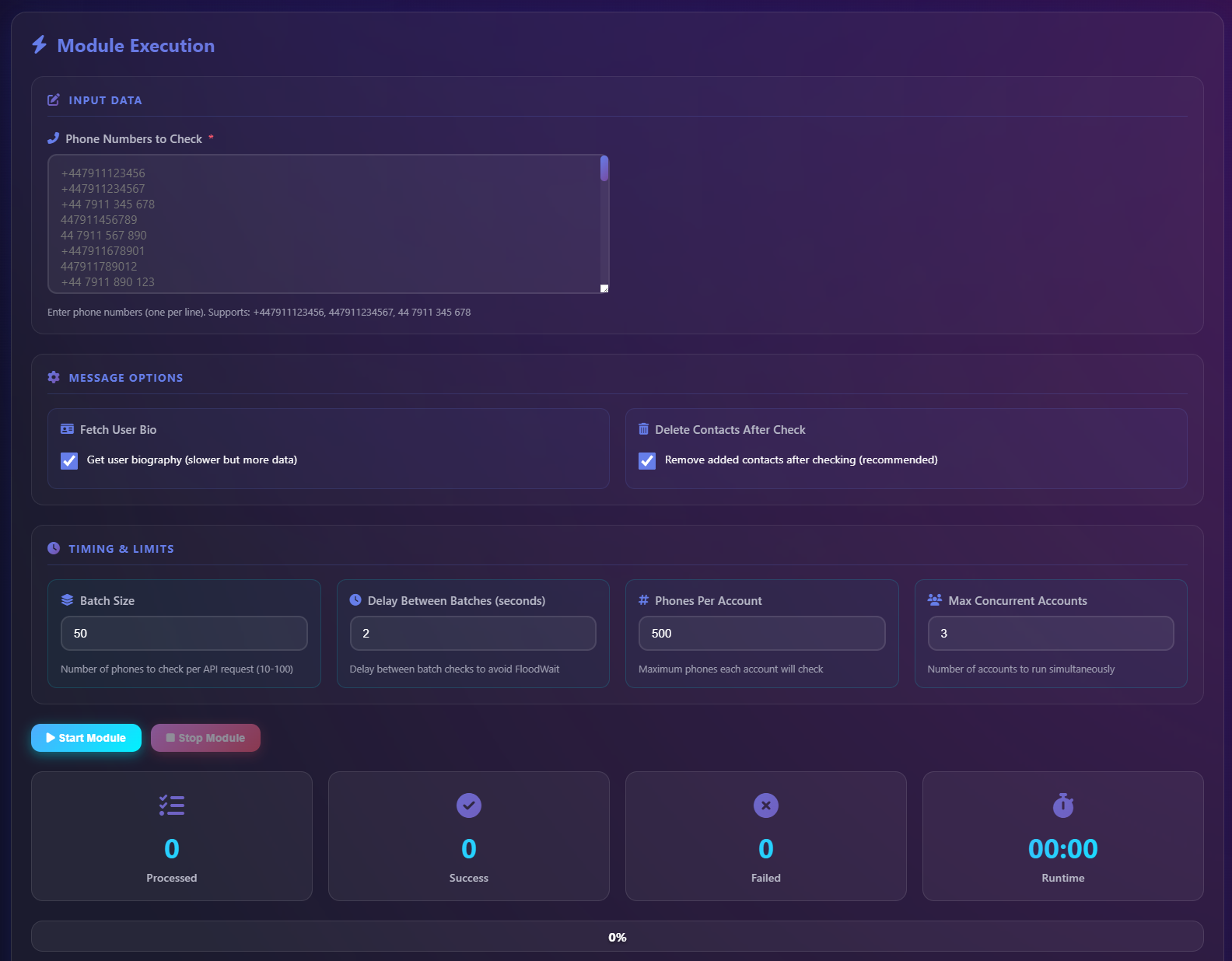
Most posts that show up for “telegram bot check phone number” bury the one thing that decides whether a tool will actually work for you: the difference between the Bot API (what BotFather hands out) and MTProto (what real Telegram clients run on). One of those can check phone numbers. The other cannot, despite half the SERP pretending otherwise. So before the comparisons and the cost tables, the tutorial below shows what a working checker bot looks like end to end — what you upload, what it returns, and how the rate pacing actually behaves.
We run the same tool against client lists every week — sometimes 5,000 numbers, sometimes 250,000 — and the operational findings below come from that workload, not from rephrasing what the SERP already says. The plan: explain what a checker actually does, debunk the Bot API misconception that’s sold to a lot of buyers, walk the step-by-step usage, cover the bulk path that ships in under an hour, and call out the scams that copy the surface without doing the work underneath.
Need a verified Telegram list for an outbound campaign?
What does a telegram bot check phone number tool actually do?
A telegram bot check phone number tool takes a list of phone numbers and returns, for each one, whether a Telegram account exists at that number. The output is three-valued, not two — registered, unregistered, and discoverable-but-restricted (an account exists, but the user has set phone-number discovery to Nobody). Under the hood, every legitimate tool does the same thing: it opens a Telegram client session, imports each number as a contact, watches what comes back, and writes the result to a CSV row. The numbers that resolve to a Telegram user surface a username and a user ID. The numbers that don’t come back empty. The whole loop runs inside Telegram’s normal contact-import behaviour, which is the only API surface that exposes this information in a sanctioned way.
The reason people search for this tool isn’t curiosity. It’s list hygiene. If you’re feeding a phone-number list into a mass DM campaign or a Telegram bulk message sender, every dead number you process burns API quota, soaks rate-limit budget, and silently degrades your delivery ratio. Cleaning the list first — cutting it down to the 35 to 70 percent that actually have Telegram — is the single highest-ROI optimisation in a Telegram outbound stack. The checker bot is the tool that does the cut.
Why most “Telegram checker bots” can’t legally check anything
Here’s the bait-and-switch that runs through this entire category. Search results are full of bots advertised as “phone number checker bots” that live inside Telegram — you start them with /start, paste a number, and they return a result. Most of those are not bots in the technical sense at all. They’re userbots wearing a chat UI, or they’re scrapers that hit leaked database dumps and return whatever they find with no validation. The actual public Bot API, the one BotFather hands out, has no method that takes a phone number and tells you if it’s on Telegram. A bot only sees contact information a user explicitly shares with it, which is the opposite of what bulk verification needs. If a Telegram bot is genuinely doing live registration checks, it’s riding on a real user-account session in the background — and the legal and ban-risk picture changes completely once you understand that.
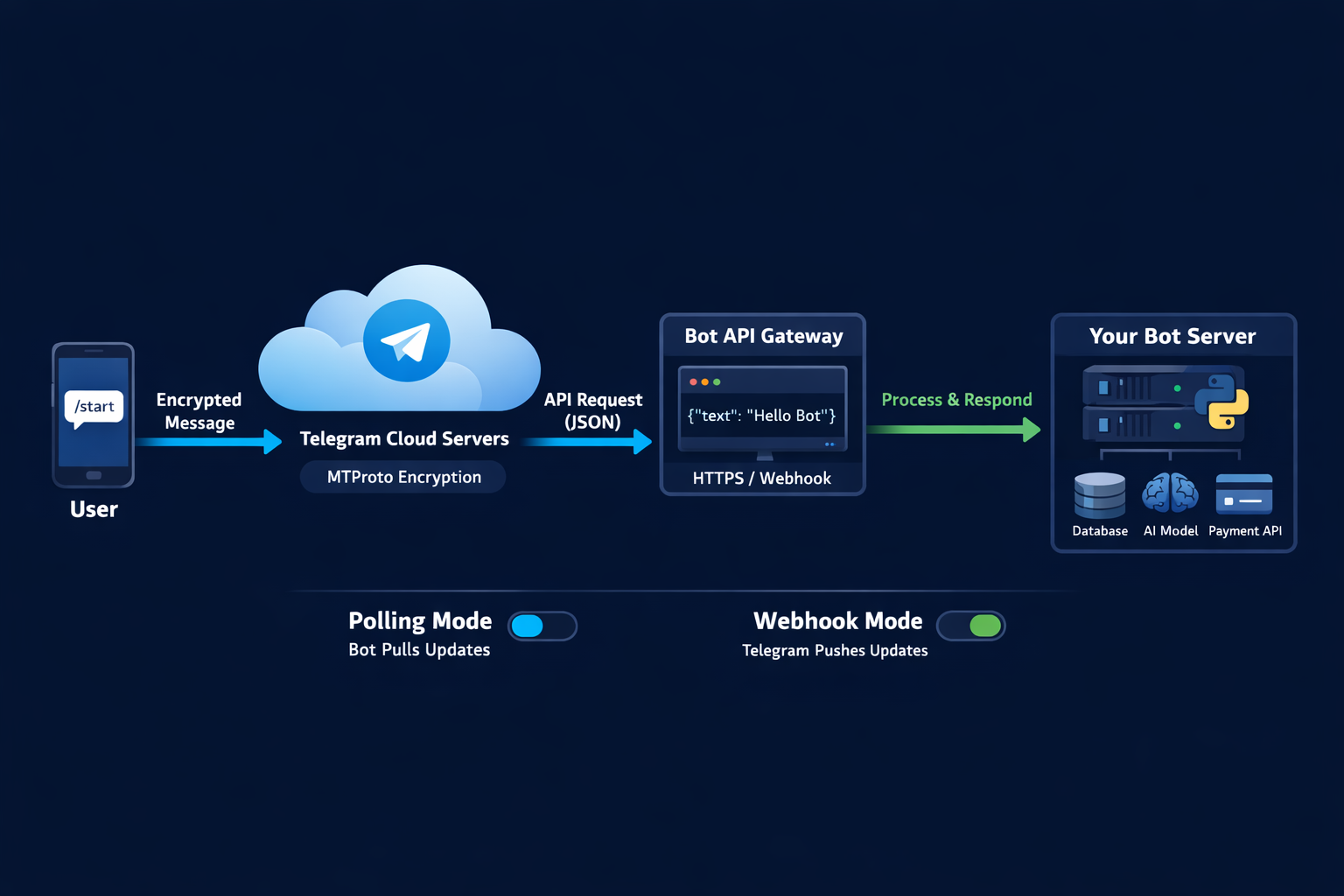
This matters because vendors lean on the word “bot” to make the product feel sanctioned, and buyers reasonably assume that anything sold as a Telegram bot must be playing by Telegram’s rules. It’s not. A “telegram number checker bot” almost always means a userbot — a real account programmatically driving the contact-import method — and the moment you accept that, every other operational question falls into place. Why does it need a phone number to start? Because that’s a user-account login. Why does it have rate limits? Because Telegram enforces them per session. Why do the accounts running it occasionally die? Because they’re user accounts and they sit inside the same anti-spam stack as every other Telegram account. None of this is hidden; it’s just rarely the headline.
The real path: MTProto, auth.checkPhone, and contact import
The actual API surface a working checker uses is Telegram’s MTProto method auth.checkPhone and, more commonly in 2026, the contacts.importContacts call that mirrors what happens when your phone’s contact book syncs to a fresh Telegram install. You hand Telegram a phone number, Telegram resolves it against its user table, and the response either includes a user object (the number is registered) or returns empty (it isn’t, or the user’s privacy setting blocks it). This is the same call the official Telegram app uses every time you add a new contact — it’s not a backdoor, it’s the documented intended API, and tools like Bellingcat’s open-source checker wrap exactly this loop in a Python script. The whole industry sits on this one call, which is also why every viable tool, from the OSINT scripts to the commercial bulk APIs, looks roughly the same under the hood.
Two operational facts shape every design decision around the API. First, Telegram rate-limits contact imports aggressively per session — somewhere in the range of 200 to 300 imports per hour before a flood-wait kicks in, with the exact number floating based on account age, country, and recent behaviour. Second, a check is not free of side effects: each imported number lands in the running account’s actual contact list, and a fresh account spamming hundreds of contact additions in its first day reads like signup-day automation to the anti-spam layer. Mature checkers solve both problems the same way — aged accounts dedicated to the role, a residential proxy per account, contact-list pruning between batches, and parallelism across multiple sessions instead of pushing a single one harder. Some teams source these session accounts directly via a Telegram account creator bot stack; others buy bulk Telegram accounts pre-aged. That last operational point is the one most DIY scripts get wrong.
How to use a telegram number checker bot — step by step
The usage flow for the bot in the tutorial video above is the same shape as every other serious checker, so it’s worth walking through generically. Step one: get your phone numbers into E.164 format (the +countrycode + number shape, no spaces, no dashes). This is where most jobs fail before they start — numbers stored as (415) 555-0199 or 0044 7700 900123 don’t resolve, and the checker silently marks them as unregistered. Normalise before you upload. Step two: pick the country-code prefix filter if your list is mixed; this lets the checker route each number to a session in the right region, which dramatically improves resolution accuracy. Step three: upload the CSV or paste the list. Step four: configure pacing — the default 200 numbers per hour per session is a safe starting point, raise only with care. Step five: start the run, watch the live counters, and pull the export when the job finishes.
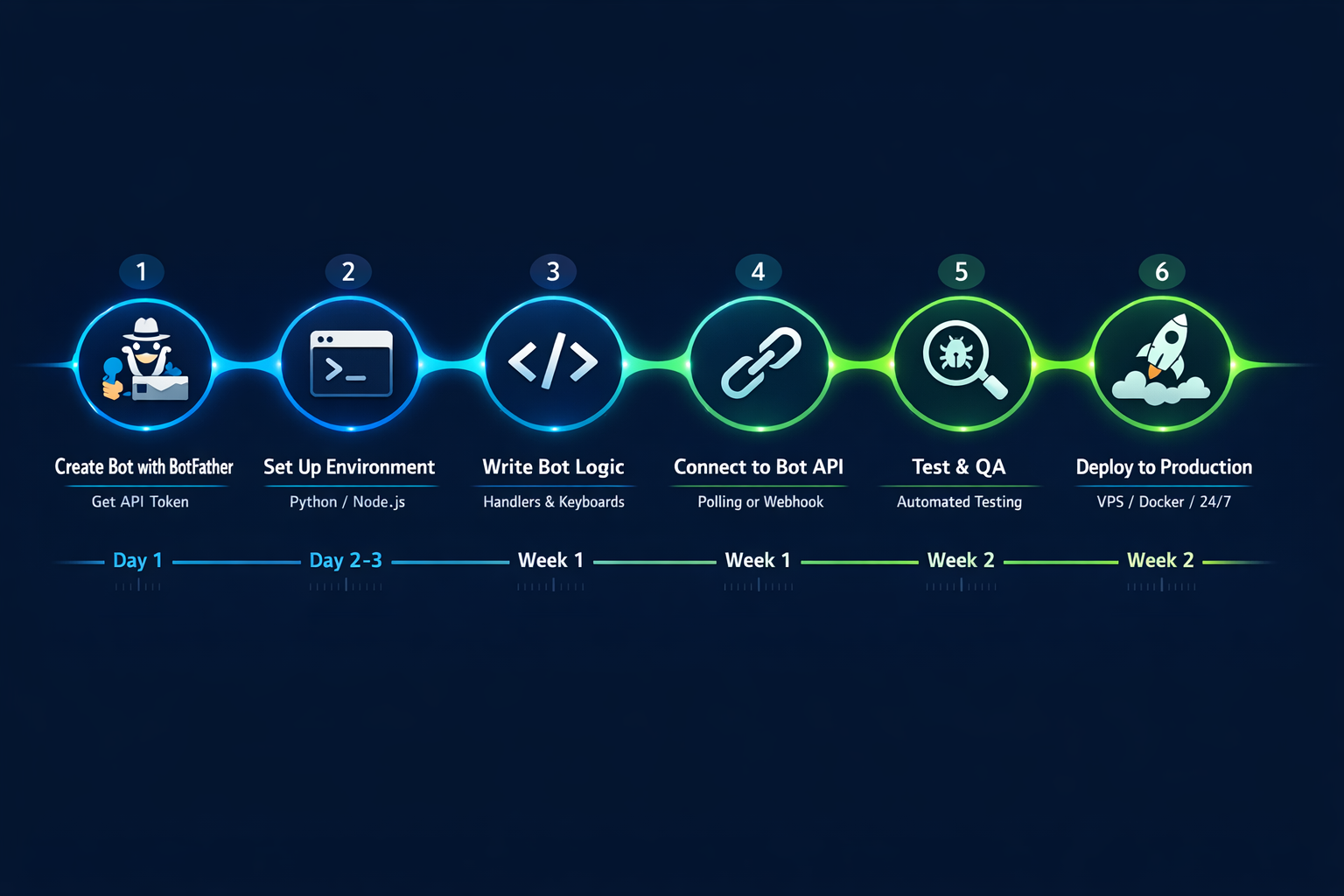
One detail that catches first-time users: the output isn’t just a yes/no column. For every registered number the bot returns the user ID, the public username if one exists, the display name, and whether the account has a profile photo. That extra metadata is what makes a checker valuable to teams running channel member quality audits or feeding lists into a member adder tool. A clean list of phone-to-username mappings is also the input the rest of the outbound stack expects — a sender that’s pointed at usernames instead of raw phone numbers is faster, less rate-limited, and less likely to trip first-contact warnings on the recipient side.
Bulk verification: processing 10,000 numbers in under an hour
The throughput question gets asked in every sales call, and the honest answer is that raw speed isn’t the binding constraint — parallelism is. A single session caps out around 200 to 300 imports per hour before flood-wait kicks in. Push past that and the whole session pauses for anywhere from ten minutes to ten hours, depending on how much you overshot. The trick to processing 10,000 numbers in under an hour is to run the job across 8 to 12 sessions in parallel, each at the safe per-session rate, with the list partitioned by country code so each session works inside its own carrier-range comfort zone. Done that way, 10,000 numbers ship in 50 to 75 minutes; 100,000 numbers ship overnight; a million-number list ships across a long weekend. The bottleneck moves from API limits to how well the dispatcher distributes the load and recovers from individual sessions getting flagged mid-job.
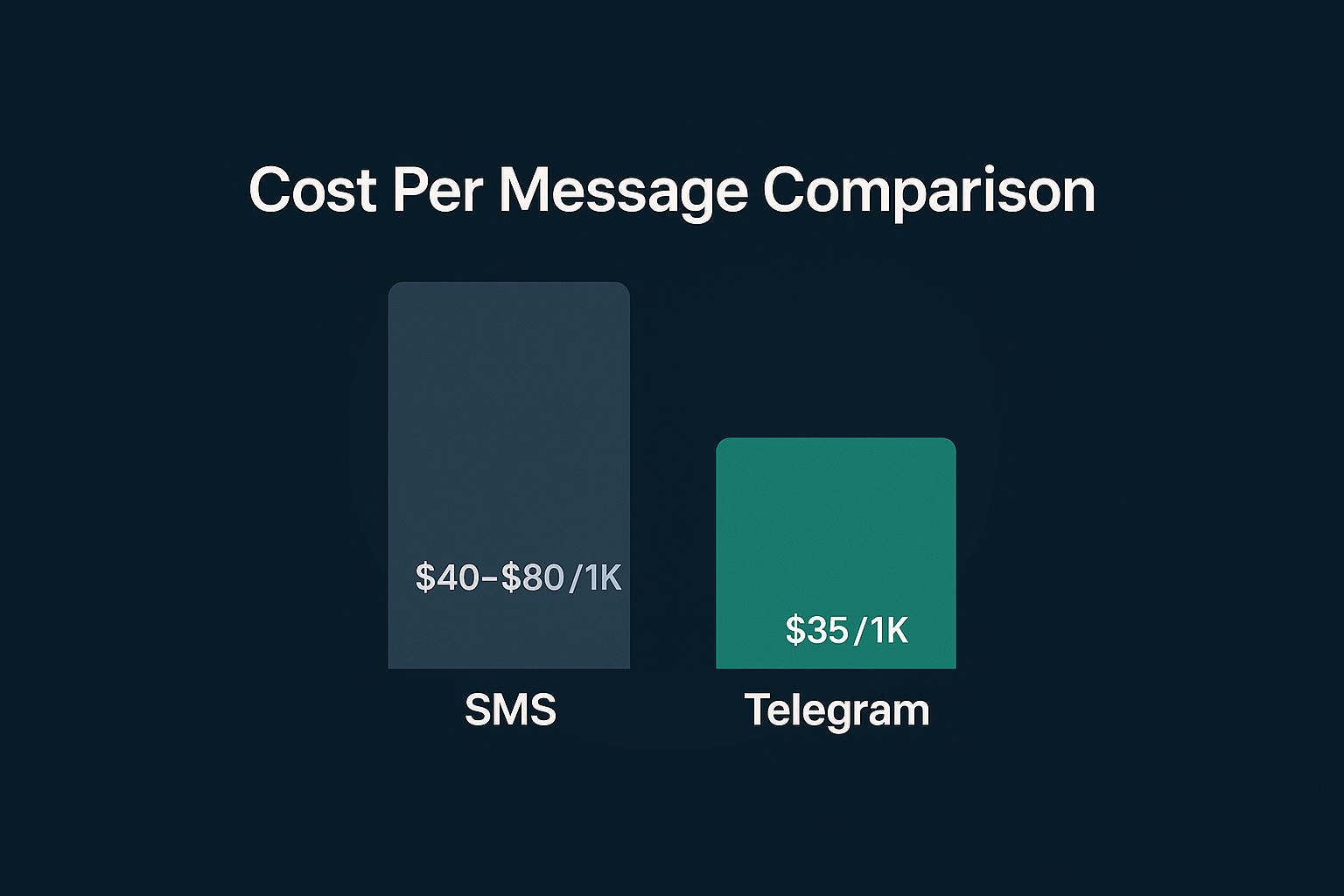
One thing the SERP gets misleadingly right: tools like Apify’s Telegram Phone Number Validator advertise “10,000 per run” and they really do hit it. What the marketing doesn’t spell out is that hitting the number requires a fleet of session accounts running in the background, and the per-run pricing reflects the cost of consuming those sessions, not the cost of a single API call. Across our own bulk jobs in early 2026, the typical effective cost lands around $0.0015 to $0.005 per number checked depending on volume and how many sessions burn during the run. Cheaper if you can amortise account costs across millions of checks per month; more expensive on small one-off jobs. The number that matters at scale isn’t the headline rate — it’s the cost per surviving session-hour, which is the same math that governs the rest of the Telegram automation stack.
Use cases — where a verified-Telegram list actually pays off
Cleaning a contact list before a Telegram mass DM is the obvious use case, but it’s far from the only one that justifies running a checker. Lead validation comes up constantly in B2B sales — sales ops teams want to know which prospects in their CRM actually use Telegram so they can route those leads to a Telegram-first outreach motion instead of email-first. Marketing teams cleaning multi-channel lists run the check before deciding whether to send a campaign via SMS, WhatsApp, or Telegram, since the channel with the highest connect rate often differs by 20 to 40 points across regions. OSINT investigators use the same primitive to confirm whether a number tied to a username, an email address, or a leaked record corresponds to a live Telegram identity, often the first step in linking a phone number to a wider online footprint. And operations teams running Telegram group scraping for member sourcing use it as a sanity-check that scraped phone numbers haven’t aged out.
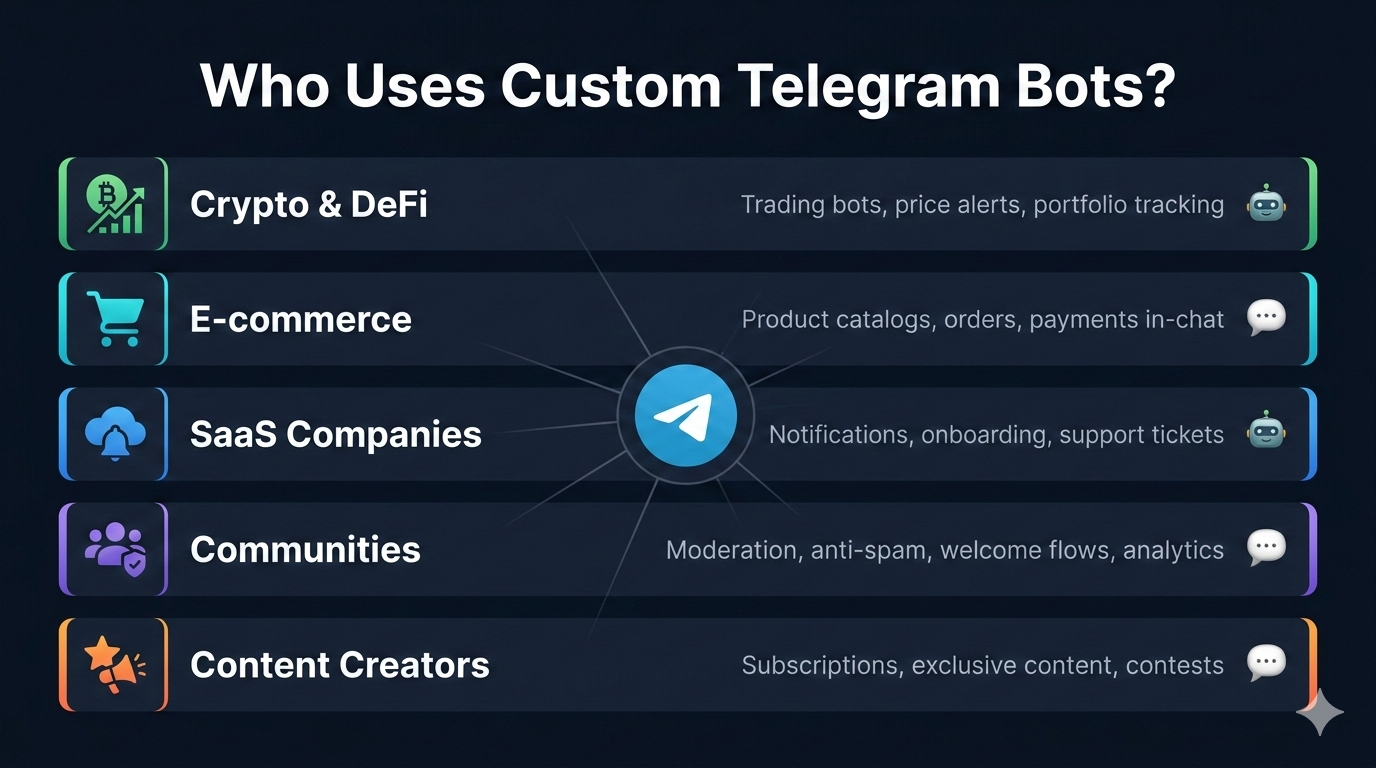
The use case that gets undersold: pre-outbound segmentation for crypto and SaaS launches, plus creator-vertical work like OnlyFans Telegram promotion where the verified-Telegram subset of a fan list dramatically out-converts the raw list. Lists pulled from sign-up funnels, airdrop registrations, or waitlist forms are rarely Telegram-pure — they include people who never installed Telegram in their lives. Running the list through a checker and then ordering by “has Telegram + has username + has profile photo” turns a 50,000-row spreadsheet into a 9,000-row priority queue worth actually messaging. We’ve seen this single pre-step lift reply rates on launch campaigns by a factor of two to four versus blasting the raw list, because the throughput now lives where the inboxes actually exist. A parallel observation: if outreach itself isn’t the goal and the underlying need is channel growth, in-app search ranking and the broader 2026 ranking signals get you discoverability without per-send risk — the checker isn’t always the right tool for the underlying job.
Tool comparison: free scripts, commercial bots, managed APIs, our pool
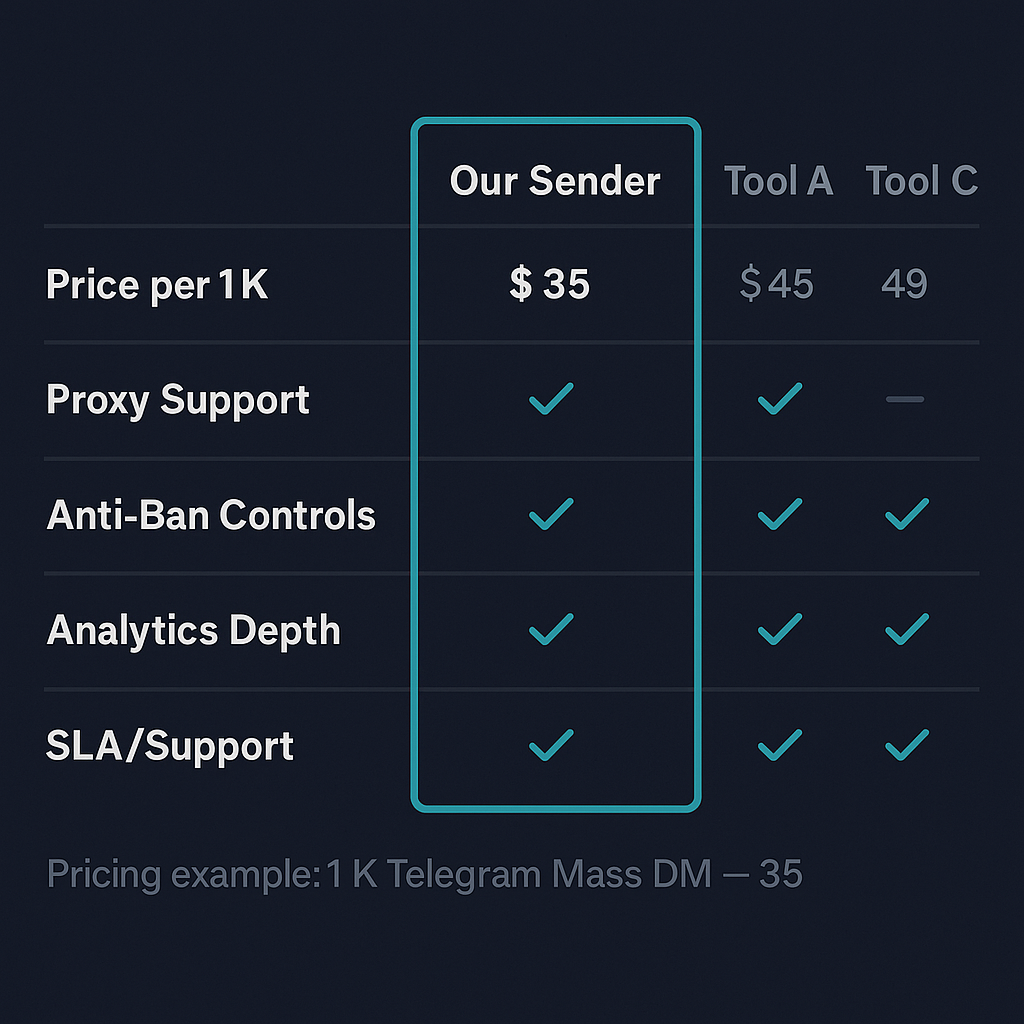
The market for telegram bot check phone number tools splits into four meaningfully different builds. Free open-source scripts like Bellingcat’s checker and the various telethon/pyrogram Python builds you find on GitHub: zero cost, full control, you supply the session accounts and you eat every ban. Commercial in-Telegram bots like checker_PorBot or the various OSINT bots on the @ search: low cost per check, opaque about which sessions run them, occasionally reliable, occasionally fabricated. Managed bulk APIs like Apify’s validator, NumberChecker.AI, or the Check Number API endpoint: per-number pricing, predictable throughput, no operational overhead on your side. And the fourth path — the managed pool we run for client campaigns — which is purpose-built around the volumes and quality bars our outbound stack already needs, and which is genuinely overkill if you’re checking 500 numbers once.
| Tool / category | Cost | Throughput | Who runs the sessions |
|---|---|---|---|
Bellingcat telegram-phone-number-checker |
Free (GitHub) | ~200/hr per account | You supply & burn through accounts |
| Telethon / Pyrogram Python scripts | Free | ~200–300/hr per account | You build, you run, you eat the bans |
In-Telegram bots (checker_PorBot & similar) |
$0.005–$0.02 per number | Variable, often slow | Opaque — usually a hidden userbot pool |
| Apify Telegram Phone Number Validator | ~$0.001–$0.003 per number | 10K per run, parallel | Apify-managed actor |
| NumberChecker.AI / CheckNumber API | Volume-tier pricing | Bulk, multi-channel | Vendor-managed, dual TG/WA |
| IRbots TG Number Analyzer | Per-check + API tier | ~500/batch via API | IRbots-managed bot pool |
| YourSolutions checker (this article’s tutorial) | Scoped per campaign | 10K/hr at 8–12 session parallelism | We manage sessions, proxies, ban-recovery |
The pattern that holds across all four buckets: the work doesn’t disappear, it just moves. Free scripts shove every operational concern onto you. In-Telegram bots hide the session layer and ask you to trust it. Managed APIs price the trust transparently. The right pick is mostly about your volume, your sensitivity to ban-flapping, and whether you have someone on the team who can babysit a Python script all morning. None of that is hidden in this market — it’s just rarely the way the comparison gets framed. The same four-bucket pattern shows up across adjacent categories too: the buying framework we documented for Telegram member adder software maps almost one-to-one onto the checker market, because both categories are ultimately about renting Telegram session capacity at different price points.
Red flags: how fake “instant Telegram lookup” bots scam users
A meaningful slice of the search results for this query are scams, and they share a recognisable shape worth naming so you can route around them. Red flag one: a website or bot that promises “instant” lookup with no rate limits and no setup — instant is the giveaway, because the real API has a hard per-session ceiling and any genuine tool has to work around it. Red flag two: a bot or service that asks you to log in with your personal Telegram account or hand over a session string before it “activates” — that’s a session theft, and your account is the product. Red flag three: a paid service that returns a CSV of fabricated results — suspiciously round numbers, every entry “registered,” and no usernames or IDs alongside. Run a 50-number test list with five known dead numbers in it; if all five come back as registered, you’re looking at synthetic output.
The fourth flag, the one that catches most buyers: any tool that claims to give you the phone number from a Telegram username, or vice versa, without consent. Telegram’s privacy model deliberately doesn’t expose that pairing — if a service is advertising it, they’re either guessing from leaked databases (which are years out of date) or making up the answer. The legitimate primitive is one-directional: number in, registration status out. Anything bidirectional is leaning on data that wasn’t obtained through the API, and the operational and legal risk follows accordingly.
Want a managed checker run instead of building one?
FAQ
What does a telegram bot check phone number tool actually do?
It tests each phone number in a list against Telegram and returns one of three states — registered (a Telegram account exists), unregistered (no account), or restricted (account exists but privacy settings block discovery). It does this by simulating a contact import against the Telegram core API through a real client session, then reading the response. The output is a clean CSV you can hand to a mass DM tool, a CRM, or an OSINT workflow without wasting throughput on dead numbers.
Can a regular Telegram bot really check if a phone number is registered?
No — not through the standard Bot API. Bots created via BotFather cannot look up arbitrary phone numbers; the Bot API only sees the contact details a user explicitly shares with the bot. Every tool advertised as a “Telegram checker bot” that takes a number list is either a userbot wearing a bot UI, a script driving a real Telegram account in the background, or a scam that returns fabricated results. The distinction matters because it tells you which side of the rate limits and ban risk you’re actually standing on.
How accurate is a telegram number checker bot?
A properly built checker resolves between 92 and 98 percent of numbers with the correct status. The gap comes from privacy-locked accounts — users who set “Who can find me by phone number” to Nobody return as unregistered even though they exist. Numbers in countries with strict carrier-format rules also slip through if the input wasn’t normalised to E.164 before the check. Treat checker output as a hard-clean of obvious dead numbers, not as a perfect map of every Telegram user.
How long does it take to check 10,000 phone numbers?
Roughly 45 to 90 minutes on a properly paced single-account stack, or 8 to 15 minutes if the check is distributed across 5 to 10 session accounts in parallel. The throughput ceiling isn’t the API itself — it’s the contact-import rate limit Telegram enforces per session. Pushing harder than 200 to 300 imports per hour per account triggers a soft flood-wait that pauses the whole job, so the real engineering problem is parallelism, not raw speed.
Is using a telegram phone number checker legal?
Checking phone numbers against Telegram is a grey-area data-processing activity, not a clearly illegal one. In the EU, the GDPR treats phone numbers as personal data, so checking them at scale needs a lawful basis — legitimate interest, consent, or contract. In the US it’s lighter, though TCPA and state privacy laws still apply if the output feeds a marketing channel. What is clearly against Telegram’s terms is operating accounts for the check that you didn’t register yourself; the legal exposure and the ToS exposure are separate questions.
Will my Telegram account get banned for using a checker bot?
Your main personal account, yes — routinely. Bellingcat’s own documentation warns that the contact-import endpoint, used aggressively, frequently triggers account-level bans, especially on accounts that also use a VPN. The correct setup is dedicated checker accounts on residential proxies, paced inside the per-session flood-wait, and rotated when one gets flagged. Treat checker accounts as a consumable, not as your real identity, and the operation survives indefinitely.
Can I check WhatsApp and Telegram numbers with the same tool?
Some commercial APIs do both — NumberChecker.AI and a few of the bulk validators on Apify run dual checks — but the underlying logic is separate. Telegram checks ride the MTProto contact-import path; WhatsApp checks ride a different verification call that some platforms expose via reverse-engineered endpoints. The cross-channel utility is real for marketers cleaning a multi-channel list, but it’s worth knowing the tool is making two independent calls and pricing each leg, not running one magic lookup.
Sources
- auth.checkPhone — Telegram Core API — the documented MTProto method behind every legitimate checker.
- Telegram Bot API Documentation — the public Bot API surface, which has no phone-lookup method.
- Telegram Phone Number Checker — Bellingcat — open-source Python reference implementation for the contact-import lookup loop.