A Telegram CRM is a customer relationship management system wired into Telegram so every conversation, lead, and deal lives in one pipeline. The catch in 2026 — HubSpot, Salesforce, and Zendesk still have no native Telegram integration, so working stacks either use a Telegram-native CRM (Kommo, NetHunt, CRMChat) or a third-party bridge. The tool is rarely the bottleneck. Workflow design and inbound capture mechanics are.
Most articles on the Telegram CRM topic read like a press release for whichever platform paid for the placement. Ours doesn't. Over the last eighteen months our team has wired Telegram into Zoho, HubSpot, Pipedrive, three flavours of Kommo, and one custom MTProto bridge for a client who had reasons. The patterns are consistent enough to write down.
What follows is the version of this topic we wish we'd had when we started — what a Telegram CRM actually is, where the native integrations are missing, how the bot-versus-personal-account decision really plays out, and where most rollouts quietly fail in the first ninety days.
What "Telegram CRM" actually means in 2026
The phrase Telegram CRM gets used three different ways, and the confusion costs teams real money. The first meaning is a CRM platform with a Telegram channel attached — Telegram becomes one more inbox alongside email, WhatsApp, and Instagram. The second meaning is a CRM bot Telegram acts as the front door for: a bot logs the conversation, qualifies the lead, and hands the contact to a sales rep inside the CRM. The third meaning, the one that confuses buyers most, is a CRM-style overlay built on top of Telegram itself — a tool that lives inside Telegram and treats forums, topics, and groups as pipeline columns. All three exist. They solve different problems. Choosing the wrong one means buying a tool that won't survive the workflow you actually need.
Native, third-party, or overlay — that's the choice. The rest of this article works through what each option does well, what it can't do, and how to pick without paying for a platform you'll abandon in six months.
Why HubSpot, Salesforce, and Zendesk have no native Telegram support
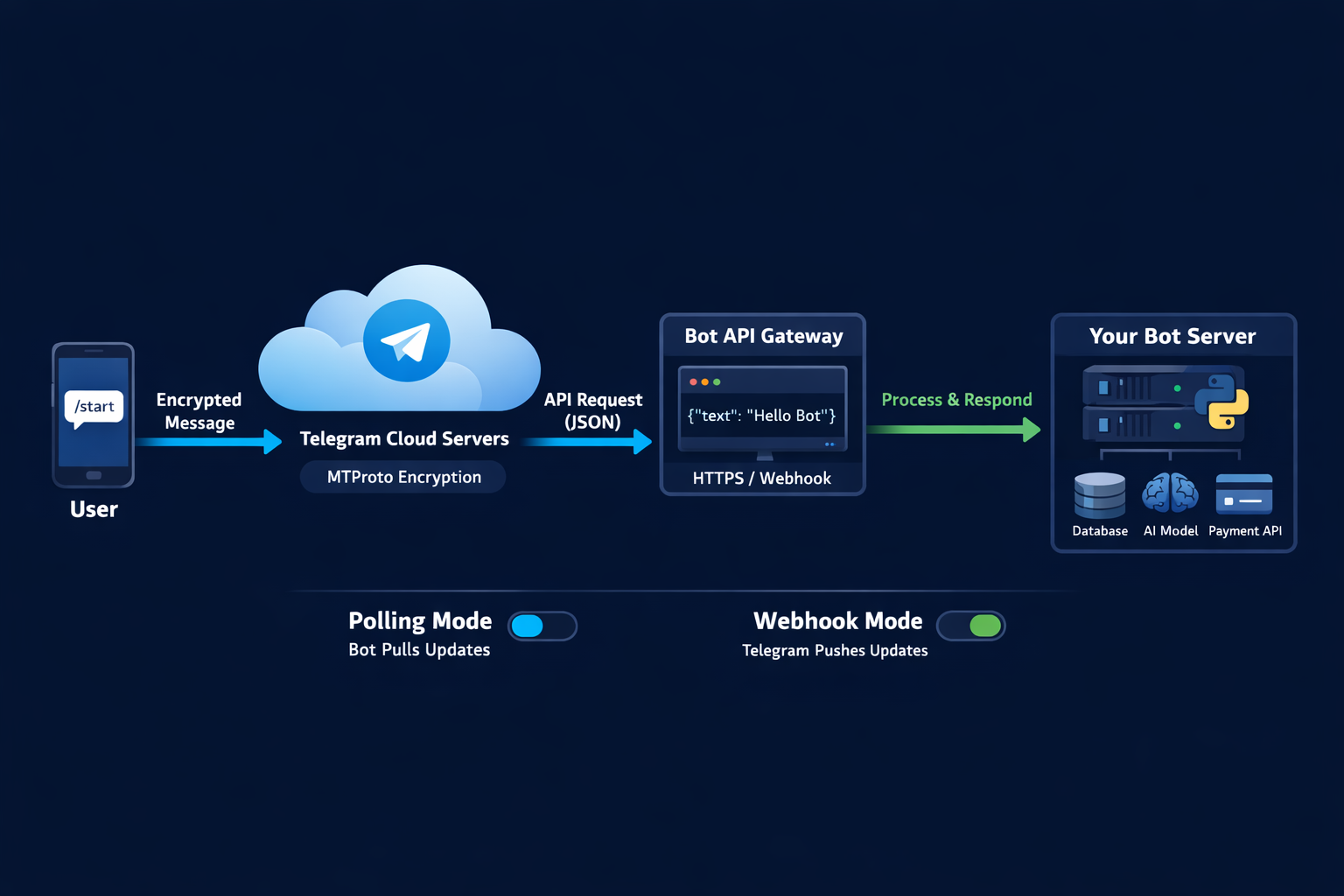
This is the fact that surprises every team running their first Telegram CRM integration evaluation. The three CRMs most enterprise buyers default to — HubSpot, Salesforce, and Zendesk — do not ship native Telegram support. Each one relies on third-party connectors, vendor-built marketplace apps, or low-code bridges like Zapier and n8n. The reason isn't laziness. Telegram's API has two distinct surfaces: the public Bot API (which any developer can call, but which only handles bot accounts) and the MTProto client API (which can drive personal accounts but requires implementing a full Telegram client). Building a production-grade integration that handles both surfaces, plus rate limits, plus message-type quirks, is non-trivial for a CRM company whose roadmap revolves around email. The gap created a market — and that market is where Telegram-native CRMs grew up.
The practical implication is simple. If your team already lives in HubSpot or Salesforce, your crm with telegram integration will be a bridge. That bridge will have limits — attachment size caps, forwarded-message loss, sometimes broken sticker handling — and you should evaluate those limits before signing anything.
Telegram CRM bot vs personal account: the integration decision
Every crm telegram bot evaluation starts with the same fork in the road, and most teams pick the wrong side. A Telegram bot can handle inbound traffic flawlessly — when a prospect taps a deep-link button on your site, the bot starts the conversation, tags the source, and pushes the record into the CRM. What a telegram bot crm cannot do is initiate a message to a user who has not opted in first. That single restriction kills the bot route for almost every outbound sales motion. For outbound — cold prospecting, account-based outreach, partner channels — you need a personal Telegram account, which can message anyone but rate-limits aggressively, has no native webhooks into a CRM, and requires an MTProto client to integrate cleanly. The honest answer for most teams: run both. A bot for inbound capture, a managed personal-account layer for outbound. Treating one as a substitute for the other is where most pipelines stall.
If the outbound layer is what's missing, the deeper mechanics live in the Telegram mass DM operator's guide and the broader Telegram automation field guide. Both are the practical reading before any vendor demo. The personal-account layer also needs disposable sender identities — see the Telegram accounts sourcing guide and the bulk-account purchasing breakdown for the trade-offs around purchased versus farmed accounts, plus the account creator bot analysis for the DIY route.
The Telegram-native CRMs that actually run a pipeline
A handful of platforms grew up Telegram-first and now run real pipelines at scale. Kommo (formerly amoCRM) brands itself as the first messaging-powered CRM and ships multi-channel inboxes covering Telegram, WhatsApp, and Instagram alongside a no-code Salesbot builder for automation. NetHunt CRM lives inside Gmail and treats Telegram as a first-class channel — incoming and outgoing messages sync to contact records automatically, with full media support. CRMChat positions itself as Telegram-native with a focus on outreach and multi-account management, including lead research workflows. Hotline.tg builds the entire CRM on top of Telegram's own forum-topic interface, which makes onboarding fast but limits the data model. Entergram adds analytics, ticket assignment, and CRM columns specifically for Telegram-first teams. Each has a different trade-off between depth, breadth, and how much your team has to relearn.
| Platform | Best for | Starting price (2026) | Outbound personal-account |
|---|---|---|---|
| Kommo | Multi-channel sales teams | $15/user/month (6-month minimum) | Limited — bot-primary |
| NetHunt CRM | Gmail-centric teams | $24/user/month (annual) | Yes, with caveats |
| CRMChat | Outbound-heavy sales | Free tier; scale tiers vary | Yes — primary use case |
| Hotline.tg | Support teams | Free tier available | No — bot-only |
| SendPulse | SMB marketing & sales | Free tier; paid from low double-digits | Bot-primary |
The honest read on this table: if your motion is outbound-heavy, CRMChat or a custom MTProto layer is probably the right fit. If your motion is inbound support, Hotline.tg or Kommo is faster to ship. NetHunt sits in the middle and works best for teams already on Google Workspace.
Zoho CRM Telegram integration (and other indirect routes)
The zoho crm telegram integration question gets asked weekly, and the answer is more nuanced than vendor pages suggest. Zoho Desk now ships a first-party Telegram channel — set it up under Setup, Channels, Telegram, paste a BotFather token, and inbound bot traffic routes into tickets cleanly. Zoho CRM itself has no equivalent first-party module, so a real telegram zoho crm integration goes through one of three indirect routes: Zapier or n8n for webhook-driven low-volume work, Albato or Integrately for visual no-code setup with broader trigger coverage, or a custom MTProto bridge if you need personal-account traffic in the CRM. Each route has costs. Zapier breaks on large attachments and burns task credits fast. n8n self-hosts cheaply but needs an engineer. The no-code platforms work well until a Telegram-side change ships and the connector silently stops mapping a field. None of them feels native, because none of them is.
The same architecture applies to any other major CRM. If you're standardised on Pipedrive, Freshsales, or ActiveCampaign, the integration shape is the same: a bridge, with the bridge's limits.
The lead-capture playbook our team uses on Telegram
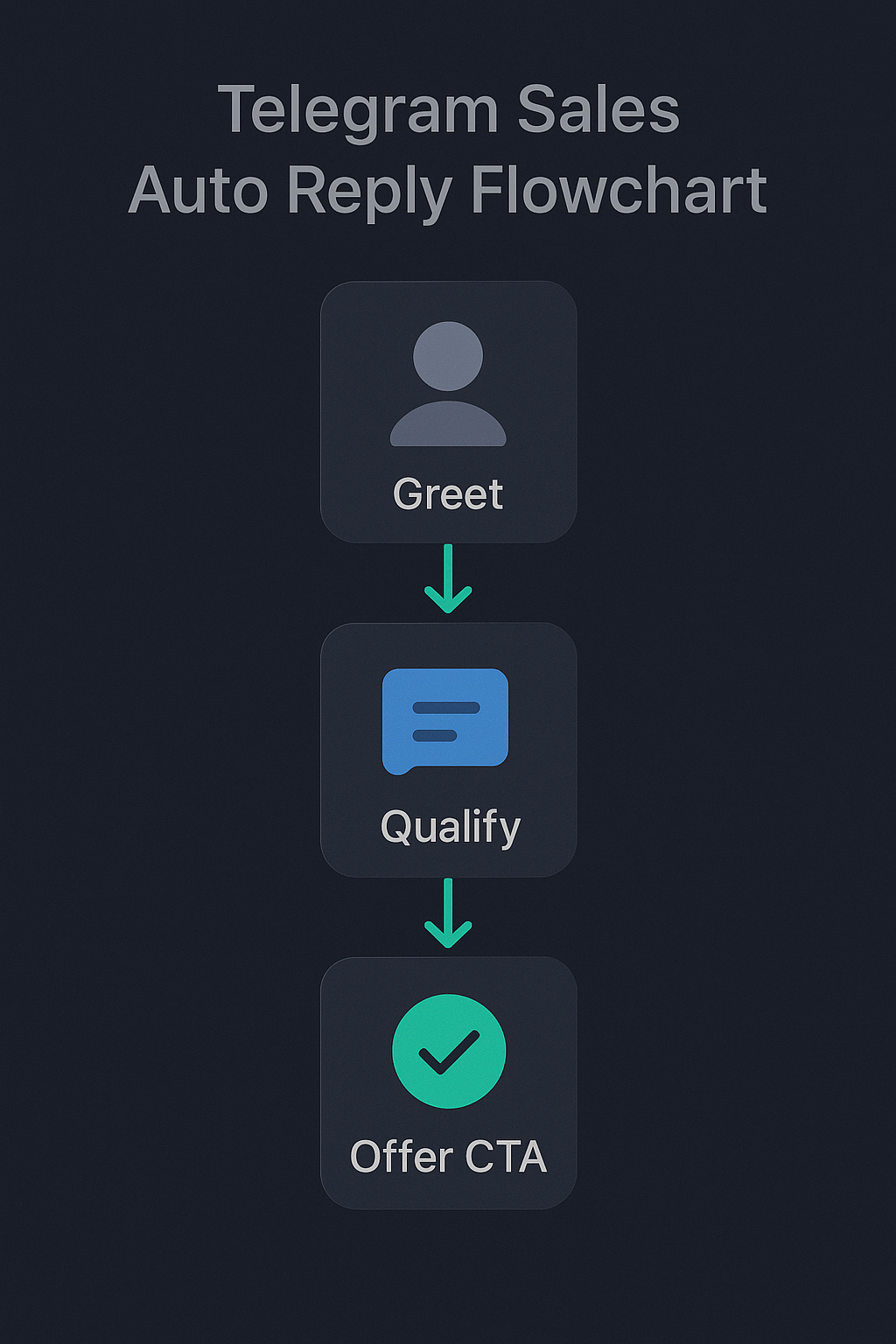
The playbook that consistently produces a working crm for telegram rollout is operational, not technical. Step one is naming the inbound entry points — deep-link button on the website, channel-pinned message inside a discoverable channel (the Telegram channel ranking guide covers how to make that pin actually findable), ad creative landing button — so every inbound conversation arrives with a source tag. Step two is the bot's first three messages: a greeting, a single qualifying question (intent or company size), and the soft handoff to a human rep with the CRM record already created. Step three is response-time SLAs measured in minutes, not hours, because Telegram users expect the cadence Telegram trained them on. Step four is the cadence the rep follows — three messages spread across 48 hours, not seven messages in a single day. Step five is logging the outcome to the deal record manually if the automation didn't catch it. Sounds boring. It's the difference between a CRM with logs and a CRM with revenue.
For the sourcing side — finding the right groups to scrape leads from, building targeted contact lists, and the legal posture around them — the relevant deeper reading is the Telegram group scraper guide and the bulk message sender breakdown. Number-verification before the first touch, in regulated niches, lives in the phone-number checker bot guide. For growing the audience the CRM eventually serves, the relevant pieces are the member adder tool reference and the member adder software comparison. Vertical-specific playbooks vary — see the OnlyFans Telegram promotion playbook for an example of how the inbound capture shape changes for creator-led businesses versus B2B.
Where most Telegram CRM rollouts fail
The failure modes are predictable. Across the rollouts our team has either run or audited, four problems show up in roughly nine cases out of ten. The first is reps still messaging from their personal phones — the CRM logs are clean, but half the deal context lives in a rep's pocket. The second is no inbound capture mechanism — the CRM only logs outbound, so when a prospect replies a week later through a channel reply or a forwarded message, the deal record stays static. The third is missing source attribution — every lead in the pipeline reads "Telegram" with no clue whether it came from a paid ad, a partner channel, or organic search. The fourth is treating the lack of phone-number sharing as a bug instead of a constraint — Telegram does not pass user phone numbers to businesses for privacy reasons, and pipelines that depend on phone-as-key collapse the moment they hit production.
Three of those four are workflow problems, not tool problems. The platform you pick matters less than the team rules that surround it.

When NOT to use a Telegram CRM
This part rarely gets written, so here it is. If your team handles fewer than thirty Telegram conversations per week, a CRM is overhead — the spreadsheet plus pinned-message workflow works fine and costs nothing. If your prospects are enterprise buyers in regulated niches (finance, healthcare, government), Telegram is not the right channel and the CRM cost is incidental to the channel choice problem. If your team has not yet figured out which inbound entry points produce qualified leads, buying a CRM bot Telegram solution first is solving the wrong problem — fix the source attribution, then automate. And if your motion is pure outbound prospecting without a meaningful inbound layer, you probably want an outbound-specific tool (a sequencer, a multi-account manager) before you want a CRM. The Telegram CRM is the right answer for teams running both motions at volume. For everyone else, the simpler tool wins on every dimension that matters.
What to do this week
If you're at the start of a Telegram CRM evaluation, the highest-impact action is mapping the actual workflow before naming any tools. Sketch the inbound entry points, the outbound motion, the qualification logic, and the SLA you're targeting. Then — and only then — match the workflow to a platform. The teams that buy first and design the workflow after are the teams that churn off the platform inside six months. If you want a second pair of eyes on the workflow before you buy, the contact page has the direct routes — Telegram, WhatsApp, and email.
Sources
- Respond.io — Telegram CRM: Messaging Customers with a Telegram Integration. Industry breakdown of native vs third-party Telegram support in major CRMs.
- Zoho Help Center — Integrating Telegram with Zoho Desk. Official documentation for the Zoho Desk Telegram channel setup.
- SendPulse — 6 Telegram CRM Integration Platforms to Try. Comparison of Telegram-capable CRM platforms with pricing and feature notes.
Frequently asked questions
What is a Telegram CRM?
A Telegram CRM is a customer relationship management system that captures Telegram conversations, leads, and deals inside a unified pipeline — usually by connecting either a Telegram bot or a Telegram user account to the CRM through an API. Unlike a regular CRM with a one-way notification bot, a real Telegram CRM logs every inbound and outbound message, assigns conversations to reps, and lets the team work the lead without ever switching apps. The most common implementations in 2026 are Telegram-native platforms like Kommo, NetHunt, and CRMChat, or third-party bridges that route Telegram traffic into Zoho, HubSpot, or Salesforce.
Does HubSpot or Salesforce have a native Telegram integration?
Neither HubSpot, Salesforce, nor Zendesk ships a native Telegram integration as of May 2026. All three rely on third-party connectors — typically Zapier, n8n, or vendor-built apps from the marketplace. That gap is the single biggest reason mid-market sales teams choose a Telegram-native CRM (Kommo, NetHunt, CRMChat) instead of bolting Telegram onto their existing stack. The integration limits matter: third-party bridges usually cannot send attachments above a certain size, do not preserve forwarded messages, and break when Telegram's MTProto layer ships a change.
Should I use a Telegram bot or a personal account for CRM integration?
Use a Telegram bot when prospects start the conversation (inbound support, post-website opt-in, deep-link buttons) and a personal account when your team initiates the conversation (outbound sales, partner outreach, account-based prospecting). Bots cannot send the first message to a user who has not opted in, which makes them useless for outbound. Personal accounts can initiate freely but rate-limit aggressively, do not have native CRM webhooks, and require an MTProto client to integrate cleanly. Most working pipelines run both — a bot for inbound capture and a managed personal-account layer for outbound.
How do I integrate Zoho CRM with Telegram?
Zoho Desk now ships an official Telegram integration that connects a bot to your support pipeline — set it up under Setup, Channels, Telegram, with a BotFather-issued token. For Zoho CRM specifically there is no first-party Telegram module, so most teams use one of three routes: Zapier or n8n for low-volume webhooks, a no-code platform like Albato or Integrately for visual setup, or an MTProto-based bridge for personal-account traffic. Each route has different limits on message types and volume.
What does a Telegram CRM cost in 2026?
Per-seat pricing for Telegram-capable CRMs in 2026 ranges from free tiers (CRMChat starter, basic SendPulse) to roughly $15 to $45 per user per month for the platforms with mature pipelines — Kommo starts at $15 with a six-month minimum, NetHunt starts at $24 billed annually, and enterprise tiers cross $45. The hidden costs are usually per-seat lead caps, paid WhatsApp API channels, and per-action automation overages. Total cost of ownership for a five-rep team usually lands between $1,200 and $3,500 per year, before any custom bridge development.
Why do most Telegram CRM rollouts fail in the first 90 days?
Most Telegram CRM rollouts fail because teams treat the CRM as the bottleneck when the real bottleneck is the outreach quality and the team's adherence to logging conversations. The patterns we see in failing rollouts are: reps still messaging from personal phones outside the CRM, no inbound capture mechanism (so the CRM only logs outbound), missing lead-source attribution, and treating Telegram's lack of phone-number sharing as a bug instead of a workflow design constraint. The tool is rarely the problem — the workflow around it usually is.