To add bulk members to a Telegram group, you import a target list — usually scraped usernames — into a member-adder tool that invites them from your account at safe intervals. But Telegram caps manual adds at roughly 200 per group and 20-50 per account a day, and most non-contacts block group adds outright. So real bulk growth comes from invite links, warmed accounts, and rotation — not a single button.
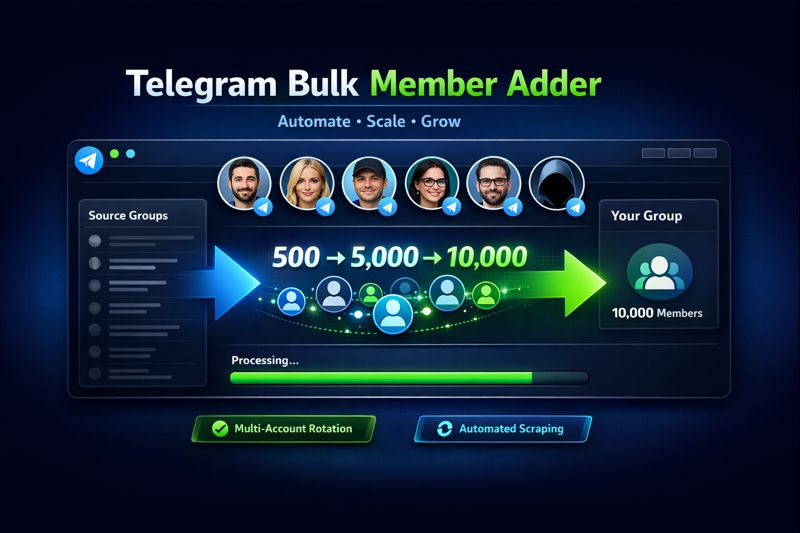
There's no single button that pours 10,000 people into a Telegram group, and anyone selling you one is really selling you a banned account. I've run member-seeding for crypto launches, OnlyFans funnels, and SaaS communities since 2019, and the gap between what "bulk add" sounds like and what Telegram actually permits is exactly where most people lose accounts and money. So before any tool: here's how adding members really works, every limit you'll hit, and the methods that move real numbers without tripping a ban.
What does adding bulk members to a Telegram group actually mean?
Adding bulk members to a Telegram group means populating it with many people at once instead of one manual tap at a time, and it splits into four distinct methods that get confused constantly. The first is manual addition — you, as a member or admin, add contacts directly. The second is invite-link sharing, where people join themselves through a t.me link. The third is a member adder: software that signs into one or more Telegram accounts and invites a list of scraped usernames automatically. The fourth is buying ready-made members from a delivery service. They sound interchangeable. They're not — each carries a different cost, ceiling, and ban risk. Most guides describe one and ignore the rest, which is why people kick off a scrape-and-add run when an invite link would have been safer, or pay for a tool to do what Telegram blocks at 200 members anyway. Match the method to the goal, not to the first download you find.
Quick gut check before you pick: are you seeding a brand-new group, or scaling one that's already moving? Cold start is a different problem from growth, and the right tool flips depending on which you're solving.
Can you add members to a Telegram group manually in bulk?
Only up to a point — and the point is lower than most people expect. A standard Telegram group lets you add members manually, by contact or username, until it reaches 200 members; the 201st addition silently converts it to a supergroup, and from there Telegram throttles direct adds hard. You also have to be inside the group first to add anyone, and for a channel you need admin rights with "add subscribers" enabled. On top of the group-size wall sits a per-account daily cap. Telegram doesn't publish the exact number — in our runs a fresh account safely adds five to ten people a day, a warmed one maybe twenty to fifty before things get touchy. Push past that and you don't get a warning; you get a limited account. So "manual bulk" is close to a contradiction beyond the first couple hundred members.
If you are doing it by hand, the steps are the same on every platform:
- Join (or open) the group — you must be a member to add anyone.
- Tap the group name, then Add Members / Add Subscribers.
- Search a person by contact or public @username and select them.
- Confirm. If their privacy allows it, they're added; if not, you'll see them silently skipped.
- Stop well before the daily cap — slow and under-limit beats a frozen account.
Why do most of your member adds fail? The privacy wall
Because most of the people you try to add have switched off being added, and that has nothing to do with your tool. Telegram's privacy settings let any user restrict "Who can add me to groups" down to My Contacts or Nobody, and a large share of active users have done exactly that. When your account or software tries to add one of them, the API returns USER_PRIVACY_RESTRICTED and the invite just fails. In our scrape-and-add runs on cold lists, well over half the targets bounce back with that error before a single message lands. The practical effect is brutal on planning: a "list of 10,000" is never 10,000 addable people — it's maybe three or four thousand, minus the ones already in the group, minus dead accounts. Build your projections around the real reachable number, not the raw list size, or every forecast you make will be wrong by a factor of two or more.
This is the contrarian bit most sellers won't tell you: a bigger scraped list does not mean more members. A tightly targeted list of genuinely active, addable users beats a bloated dump of handles every time, because the dump is mostly privacy-locked accounts your tool will grind through for nothing.
How to add members to a Telegram group without their contacts
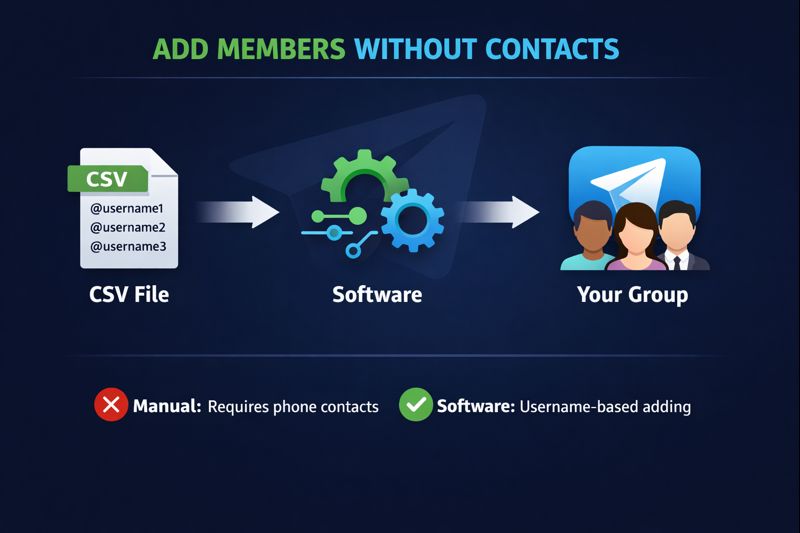
You don't need someone in your phonebook to add them — Telegram supports two contact-free routes. The first is by username: open the group, tap Add Member, and search the person's public @handle instead of a phone number; if their privacy allows it, they're added without you ever saving their number. The second, and the one that actually scales, is the invite link. From the group settings, generate an "Invite to Group via Link" URL and share it anywhere — your channel, a DM sweep, a landing page, a pinned post. Anyone who taps it joins in one click, no phone number or username required. Crucially, the invite-link route sidesteps both the privacy wall and the manual-add cap, because people are joining voluntarily rather than being force-added. That's why every durable group-growth play leans on links plus a reason to click, not on hammering the Add button against accounts that keep returning errors.
What is a Telegram bulk member adder?
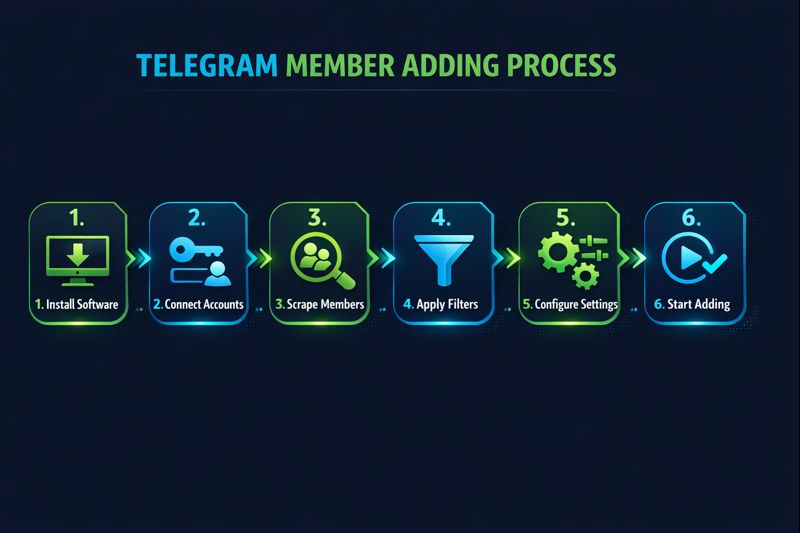
A Telegram bulk member adder is software that automates the invite step: it logs into one or more Telegram user accounts through the MTProto API, reads a list of usernames or user IDs you supply, and adds them to your group on a timer. The decent ones import your list from a CSV, let you set the delay between each add, and rotate across several logged-in accounts so no single one burns through its daily cap. Where does the list come from? Usually a Telegram group scraper that pulls the member roster of a competitor or topical group first; the adder then works that list against your target. None of this runs on Telegram's Bot API, by the way — a bot token can't add members to a group it doesn't administer, the same user-versus-bot split that decides whether a Telegram shilling bot can post at all. Every real adder runs on full user sessions, and that single distinction decides whether a tool works.
In the wild you'll meet two flavours: a lightweight member adder tool for one-off seeding, and heavier member adder software built for running account pools at volume. Either way, keep your target candidates and their status somewhere structured — we log ours in a Telegram CRM rather than re-scraping the same group every week.
How to add bulk members safely without getting banned
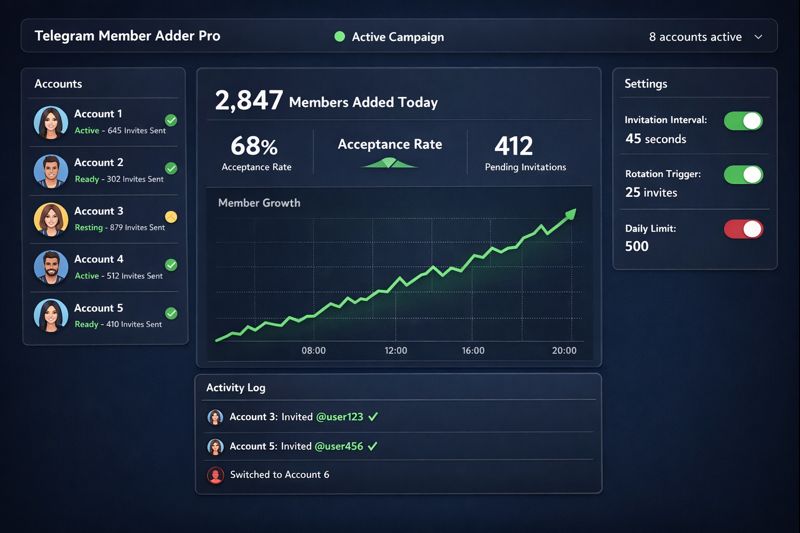
Safety here is mostly about pace and account quality, not the tool's brand. Add too fast and Telegram's server returns PEER_FLOOD — a rate limit that freezes your ability to add anyone, sometimes for days — or FLOOD_WAIT, which hands back the exact number of seconds you must idle. Both are documented API errors, not bugs, and they trigger on behaviour, so the fix is behavioural too. We run adds 30 to 60 seconds apart, never the "fast" 5-second setting tools love to advertise, and we rotate accounts every 20 to 30 invites so no session starts to look like a spambot. Account age matters more than anything else: a number registered this morning gets limited almost instantly, while an aged session with real history absorbs far more. Each account gets its own SOCKS5 proxy so the pool doesn't all correlate to one IP. Slower and warmed beats fast and fresh, every single time.
That's why the account layer, not the script, is where serious operators spend. Before any real run we put each number through a phone-number health check, then source inventory either by buying aged Telegram accounts or, at volume, bulk accounts spun up through an account-creator workflow. Wiring the pacing, rotation, and proxy rules together is the same discipline behind any real Telegram automation stack — isolate everything, stagger everything, and accept that some sessions get limited mid-run.
Bulk-add methods compared: which one fits your group?
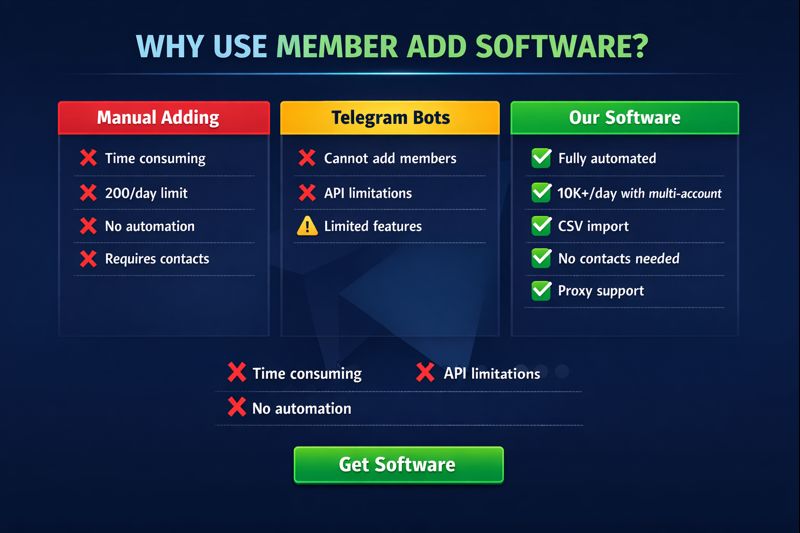
Each method wins at a different job, so the right answer depends on whether you're seeding, scaling, or just need numbers on the board this week. Manual adds are free and safe in small doses but cap out fast. Invite links are the only route with no real ceiling, but they need traffic and a reason to click. Member adder software moves volume quickly if — and only if — you own warmed accounts and pace it properly; run it cold and it's the fastest way to a ban. A managed delivery service costs money but moves the ban risk off your accounts and onto the provider's infrastructure. Read the table below as a triage chart, not a leaderboard: there's no single best method, only the one that matches your group's stage and your tolerance for managing accounts.
| Method | What it does | Realistic ceiling | Ban risk | Best for |
|---|---|---|---|---|
| Manual add | You add contacts/usernames by hand | ~200/group, 5-50/account a day | Low if slow | Seeding the first few hundred |
| Invite link | People join themselves via a t.me link | No hard limit (voluntary) | Very low | Durable, real growth |
| Member adder software | Auto-invites a scraped list across accounts | Hundreds/day across a pool | High without warming | Fast seeding when you own accounts |
| Managed delivery | A team runs the accounts and adds for you | Thousands, staged | Lowest (their infra) | Scale without owning the stack |
Should you run a bulk member adder yourself or use a service?
Be honest about the real cost of DIY before you commit. Running your own adder means buying and warming a pool of accounts, paying for clean proxies, configuring the tool, babysitting the run, and writing off the sessions that get limited along the way — and you still hit the privacy wall on half the list. For a one-off seed of a few hundred members it's worth it. For recurring scale, the maths usually flips toward a managed service that already owns warmed inventory and absorbs the account losses as a cost of doing business. Our own pricing is scoped per campaign and quoted before anything starts, never a flat "10,000 members" promise we can't keep cleanly. Whichever way you go, the principle is the same: protect the accounts, respect the limits, and treat members as the start of the funnel, not the finish line.
Because seeding members is step one, not the whole game. Fresh members feed a launch-day mass DM sweep and one-shot announcements through a bulk message sender, while an active, growing group is itself a signal that helps you rank in Telegram search. Creators tend to seed a group specifically to anchor OnlyFans promotion on Telegram and the wider OnlyFans advertising push behind it, often pairing it with a vanity claimed username grabbed via an autoclaimer for a clean t.me link. If you'd rather not stand up the whole account-and-proxy stack yourself, that's exactly what our managed Telegram growth service is built to run.